
 Brandnata + DelhiveryLogistics & ops
Delhivery shipping, RTO and COD remittance in your order margins
Brandnata connects to Delhivery through a Delhivery One API token that you copy from Settings > API Setup and paste into Brandnata, in about 5 minutes. The connection is read-only by default, and Delhivery data is reconciled with every other channel you connect in one dashboard.
Brandnata's Delhivery integration reads your shipments, freight charges, delivery status, NDR exceptions, RTOs and COD remittances. Shipping costs are attached to the orders they were incurred for, so returned COD orders show their true cost and the cash Delhivery deposits can be traced to the deliveries behind it.
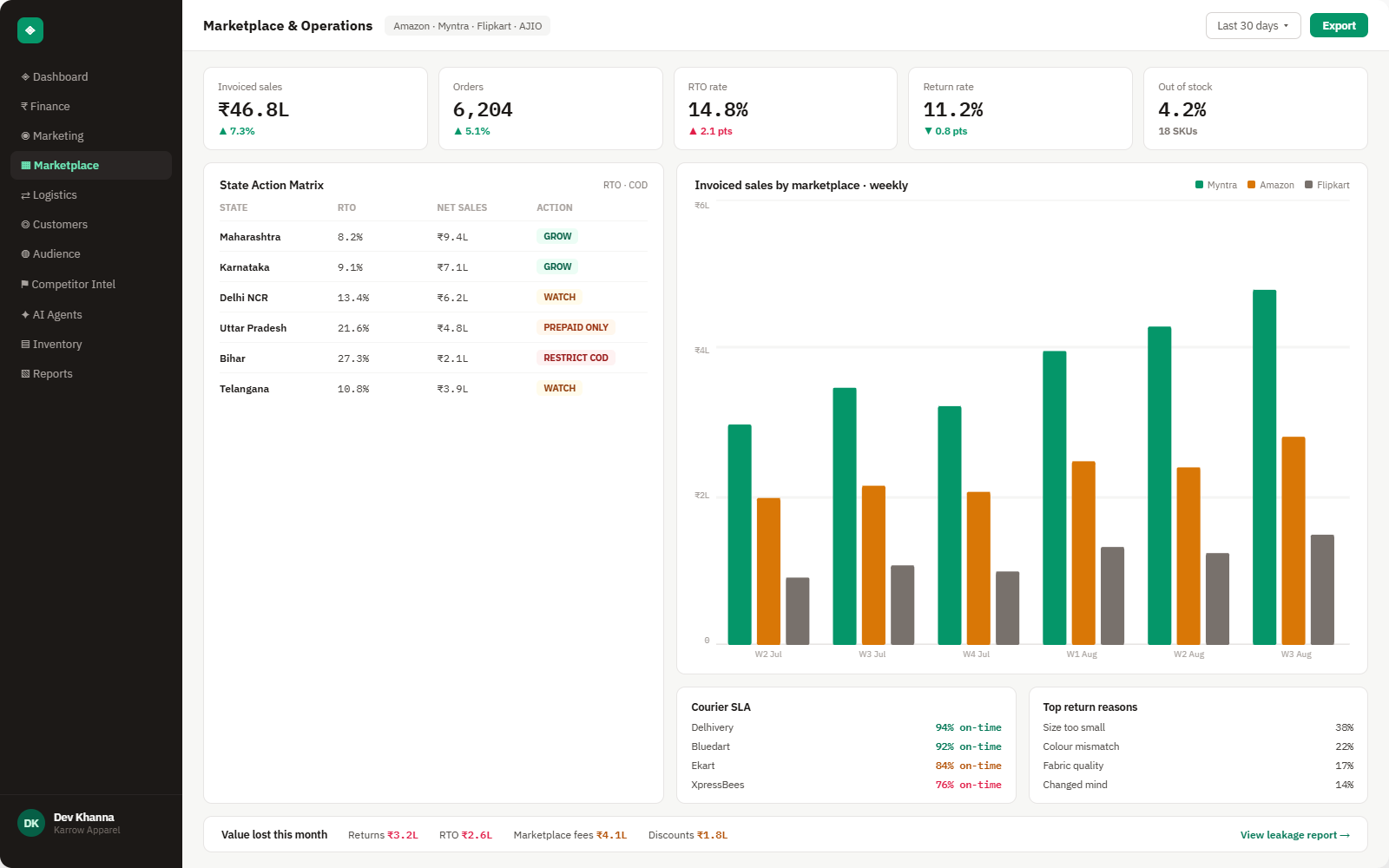
Everything Delhivery sends into Brandnata
Once connected, new shipments and tracking scans sync throughout the day, and COD remittances are reconciled when Delhivery processes them.

Shipments & AWBs
Forward and reverse shipments with AWB number, order ID, payment mode (COD or prepaid), package weight and pickup location.
Freight & weight charges
Shipping charges on a shipment, including revisions after Delhivery re-measures a package and moves it into a different weight slab.
NDR & RTO status
Failed delivery attempts, exceptions and return-to-origin shipments, from Returning to Origin through to Returned.
COD remittances
Remittances with their bank transaction ID and the AWBs and COD amounts each payout includes.
How Brandnata uses Delhivery data
Delhivery supplies the delivery side of your Indian orders. Freight, weight revisions and RTO costs are attached to the Shopify, WooCommerce or marketplace orders they shipped, and COD remittances are linked to delivered orders, so contribution margin includes the cost of delivery and failed delivery, and finance can follow COD cash from doorstep to bank.

Delhivery data feeds Brandnata's anomaly alerts and AI agent suggestions. The connection itself only reads data and never changes anything in Delhivery.
What you can do with Delhivery in Brandnata
Specific, Delhivery-native use cases, not a generic list that applies to every connector the same way.
A returned COD order earns nothing but still carries freight both ways. Brandnata charges those costs to the product and channel, which makes RTO-heavy SKUs and pin codes stand out.
Line up delivered COD orders with the remittances that paid them out, and see which deliveries are still waiting to be remitted.
Spot shipments where the billed weight slab went up after Delhivery's hub scan, with the declared and charged values side by side.
Compare cost per shipment, delivery time and RTO rate for Delhivery with couriers booked through Shiprocket or other partners, using your own orders.
Where Brandnata + Delhivery fits
Other ways teams currently piece this data together, and where each one runs out of reach.
| Approach | Coverage | Where it falls short |
|---|---|---|
| Brandnata + Delhivery · this page | Freight, weight revisions and RTO costs applied per order, COD remittances reconciled, and courier performance shown next to sales and margin | N/A |
| Delhivery One dashboard (native) | Orders, tracking, NDR actions, weight claims, wallet, invoices and COD remittance history for your account | Shipping data on its own, without product margins, ad spend or what the order sold for, with no way to weigh RTO cost against profit |
| Store reports (Shopify, WooCommerce) | Orders, sales and the shipping charged to customers | Delhivery freight, RTO charges and COD remittances don't flow back into the store, and profit figures leave them out |
| Remittance files in spreadsheets | Delhivery remittance and invoice downloads compared against order exports by AWB | Slow to repeat each cycle, and weight revisions or RTOs billed after the original charge are easy to miss |
Delhivery works alongside every other connector
Data from Delhivery doesn't sit in isolation, it's matched against orders, customers and spend from every other platform you connect, so the full picture shows up automatically.
Related connectors
Brands using Delhivery usually connect these too.

Shipments, delivery performance and fulfillment, tied to every order.
Orders, revenue, products, customers and inventory, synced live.
WordPress store orders, refunds, products and stock, tied to ad spend and profit.
Razorpay payments, fees with GST, refunds and settlements, tied back to your orders.
Delhivery integration FAQs
How do I connect Delhivery to Brandnata?
In Delhivery One, open Settings > API Setup and copy your live API token, then paste it into the Delhivery connection in Brandnata. If you request a new token, the old one stops working straight away, so update any other tools that use it. Delhivery reveals a new token only once, so copy it before leaving the page.
How long does Delhivery take to remit COD payments?
Delhivery's help center says COD amounts are transferred to your bank account within 48 hours of delivery. If your Delhivery wallet balance is negative, the remittance waits for the next cycle after the balance turns positive. Remittance details, including the bank transaction ID and the AWBs covered, are under Finances > Remittance in Delhivery One.
How does Delhivery calculate chargeable weight?
For Surface and Express shipments, volumetric weight is length × breadth × height in centimetres divided by 5000. For packages above 1 kg, Delhivery bills on whichever is higher, dead weight or volumetric weight. Flyer packages are billed on dead weight. A 60 × 25 × 40 cm box weighing 6 kg is billed as 12 kg.
Why did Delhivery charge me extra for weight?
Delhivery's hubs measure weight and dimensions with scanning machines and compare them with your shipment details. If the package lands in a higher weight slab, the original charge is reversed and the revised amount is deducted. You can raise a claim on delivered shipments with the package weight, dimensions and photos. Brandnata shows declared and charged weights together, which makes the shipments worth disputing easy to find.
How do RTOs affect my profit on COD orders?
An RTO order produces no revenue, yet you pay for the forward shipment and the return leg as set by your rate card, and the stock may come back damaged. On COD-heavy catalogs this cost can outweigh the margin on several delivered orders. Brandnata charges RTO freight to the product, pin code and channel the order came from, showing where COD is costing money.
I ship with Delhivery through Shiprocket. Which should I connect?
Connect the account that bills you. If you book Delhivery through an aggregator such as Shiprocket, freight, RTO and COD remittance sit in your Shiprocket account, and that is the one to connect. Connect Delhivery directly when you have your own Delhivery One contract and wallet.
Can Brandnata create shipments or act on NDRs in Delhivery?
No. Brandnata only reads shipments, charges, tracking, NDRs, RTOs and remittances. It doesn't create orders or pickups, generate labels, request reattempts or cancel shipments.

Connect Delhivery in about 5 minutes
Connects through a Delhivery One API token that you copy from Settings > API Setup and paste into Brandnata. Read-only to start, with your first reconciled numbers within a day.