
WooCommerce profit analytics by channel
Brandnata connects to WooCommerce through a read-only REST API key that you approve through WooCommerce's app authorization screen, in about 5 minutes. The connection is read-only by default, and WooCommerce data is reconciled with every other channel you connect in one dashboard.
Brandnata's WooCommerce integration turns your store's orders, refunds, products and stock into a profit dashboard. Every WooCommerce order is reconciled against your Meta and Google ad spend, marketplace sales and shipping costs, so you see what each channel actually earns, not just what WooCommerce reports as sales.
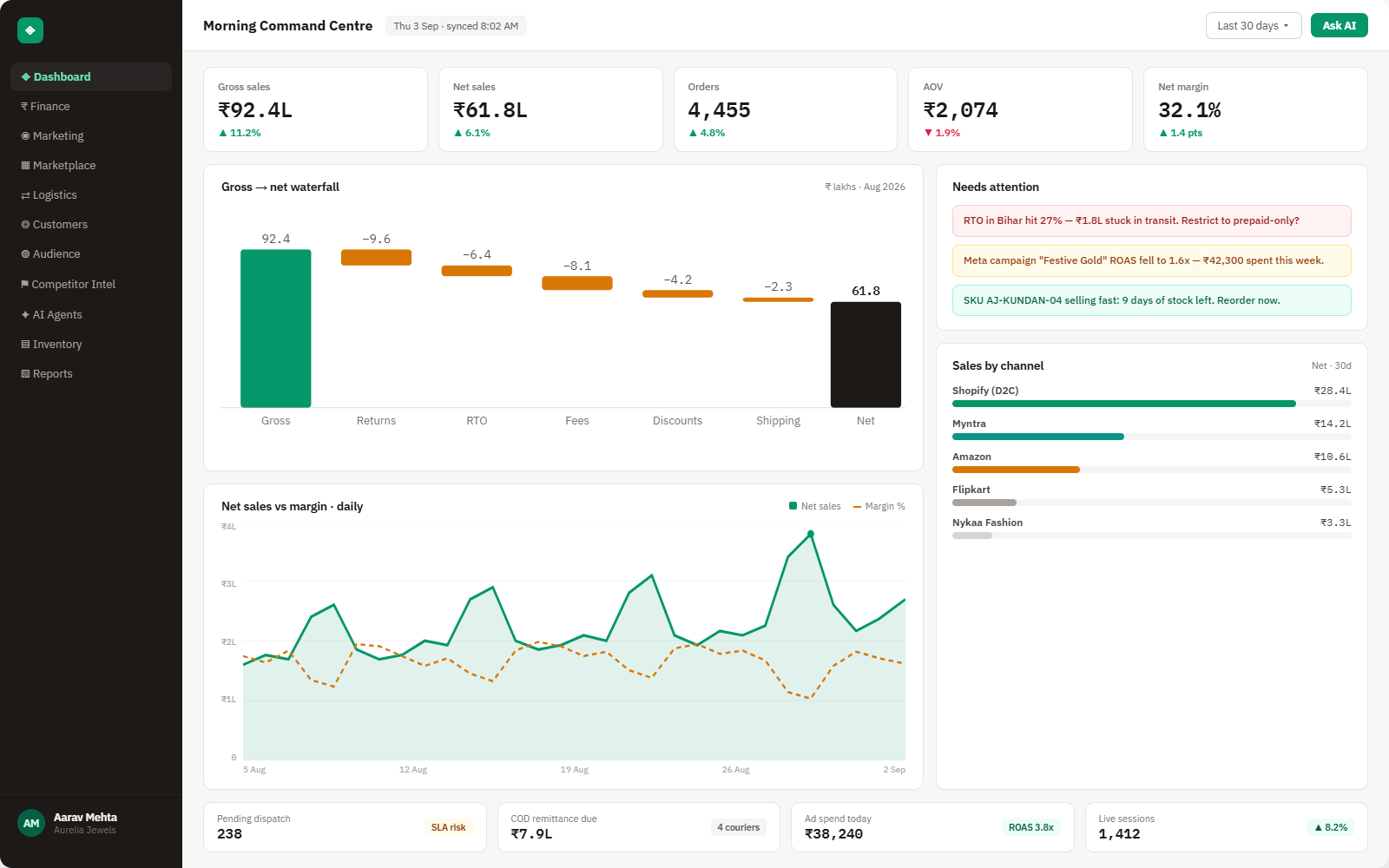
Everything WooCommerce sends into Brandnata
Once connected, orders, refunds and stock sync continuously, with no manual export and no nightly batch job.

Orders & refunds
Every order, line item, coupon, tax and refund, including partial refunds, synced as they happen.
Products & variations
Simple and variable products, categories and attributes, with performance per variation.
Customers
Registered and guest customers, repeat purchase rate and lifetime value.
Stock levels
Stock quantity and status by product and variation, tied to sell-through rate.
How Brandnata uses WooCommerce data
For brands on WordPress, WooCommerce plays the same anchor role Shopify does: Brandnata treats it as the source of truth for revenue and stock, then reconciles ads, marketplaces and logistics against it, so every figure in your dashboard traces back to a real WooCommerce order.

WooCommerce data feeds Brandnata's anomaly alerts and AI agent suggestions. The connection itself only reads data and never changes anything in WooCommerce.
What you can do with WooCommerce in Brandnata
Specific, WooCommerce-native use cases, not a generic list that applies to every connector the same way.
Blend WooCommerce revenue with Meta and Google ad spend to see ROAS and profit per channel after refunds, coupons and shipping, measured against real orders instead of pixel-reported conversions.
See which coupons bring in new, repeat-buying customers and which only discount orders that would have happened anyway.
Get flagged before a fast-selling size or color sells out, with days of cover calculated from real sell-through.
Compare repeat rate and lifetime value for guest checkouts against account holders to decide where to push sign-ups.
Where Brandnata + WooCommerce fits
Other ways teams currently piece this data together, and where each one runs out of reach.
| Approach | Coverage | Where it falls short |
|---|---|---|
| Brandnata + WooCommerce · this page | Orders, refunds, products and stock reconciled against ad spend, marketplaces and shipping, in one dashboard | N/A |
| WooCommerce Analytics (native) | Store revenue, orders, products, coupons and stock reports inside WordPress admin | No ad spend or marketplace data, so profit per channel has to be worked out by hand |
| Shopify-first analytics tools | Profit and attribution dashboards built primarily for Shopify stores | Many support Shopify only, or offer WooCommerce as a limited or beta connector, so WordPress stores get partial coverage |
| Reporting plugins | Extra WordPress plugins that add profit or cost-of-goods reports | Each one covers a slice of the picture, runs on your own server, and still can't see your marketplaces or logistics data |
| CSV exports + spreadsheets | Order exports blended with ad platform exports manually | Hours of work per report, and refunds processed after the export quietly make it wrong |
WooCommerce works alongside every other connector
Data from WooCommerce doesn't sit in isolation, it's matched against orders, customers and spend from every other platform you connect, so the full picture shows up automatically.
Related connectors
Brands using WooCommerce usually connect these too.
Orders, revenue, products, customers and inventory, synced live.
Traffic, channels, landing pages and funnels, checked against real orders.
Campaigns, spend, ROAS and audience performance, tied to real revenue.

Shipments, delivery performance and fulfillment, tied to every order.
WooCommerce integration FAQs
How do I connect WooCommerce to Brandnata?
Choose WooCommerce in Brandnata and enter your store's address. You're sent to your WordPress admin, where WooCommerce's app authorization screen asks you to approve read access for Brandnata. Click Approve and WooCommerce creates a read-only REST API key for the connection. Orders, refunds, products and stock then start syncing, with up to 24 months of history.
How do I see true ROAS and profit for my WooCommerce store?
Connect WooCommerce alongside your ad accounts. Brandnata matches Meta and Google ad spend against confirmed WooCommerce orders, net of refunds, coupons and shipping, so ROAS and profit per channel reflect orders you actually kept rather than conversions each ad platform reports for itself.
Does WooCommerce Analytics show profit per ad channel?
No. WooCommerce Analytics reports store revenue, orders, products, coupons and stock, but it doesn't see your ad spend, marketplace sales or shipping costs. Brandnata adds those, so profit by channel is calculated automatically instead of in a spreadsheet.
Does connecting WooCommerce give Brandnata write access to my store?
No. You approve a read-only API key through WooCommerce's built-in app authorization screen, so Brandnata can read orders, products, customers and stock but can't change prices, stock or order status. You can revoke the key at any time under WooCommerce > Settings > Advanced > REST API.
Do I need to install a plugin on my WordPress site?
No. The connection uses the REST API that ships with WooCommerce, so there's no extra plugin to install or keep updated on your site.
Are refunds and cancelled orders handled correctly?
Yes. Full and partial refunds, cancellations and failed payments are synced and netted against the original order, so the revenue Brandnata reports matches what you actually kept.
Can I connect more than one WooCommerce store, or WooCommerce and Shopify together?
Yes. Multiple WooCommerce stores, or a mix of WooCommerce and Shopify, can be connected to one account. Each store stays separately trackable while rolling up into a single brand-level view.

Connect WooCommerce in about 5 minutes
Connects through a read-only REST API key that you approve through WooCommerce's app authorization screen. Read-only to start, with your first reconciled numbers within a day.