
 Brandnata + ShiprocketLogistics & ops
Shiprocket RTO and courier performance analytics
Brandnata connects to Shiprocket through a dedicated API user that you create in your Shiprocket panel, in about 5 minutes. The connection is read-only by default, and Shiprocket data is reconciled with every other channel you connect in one dashboard.
Connect Shiprocket and Brandnata tracks every shipment from pickup to delivery, matched against the order it belongs to, so delivery delays, RTOs and courier performance show up next to the revenue and customer they affected.
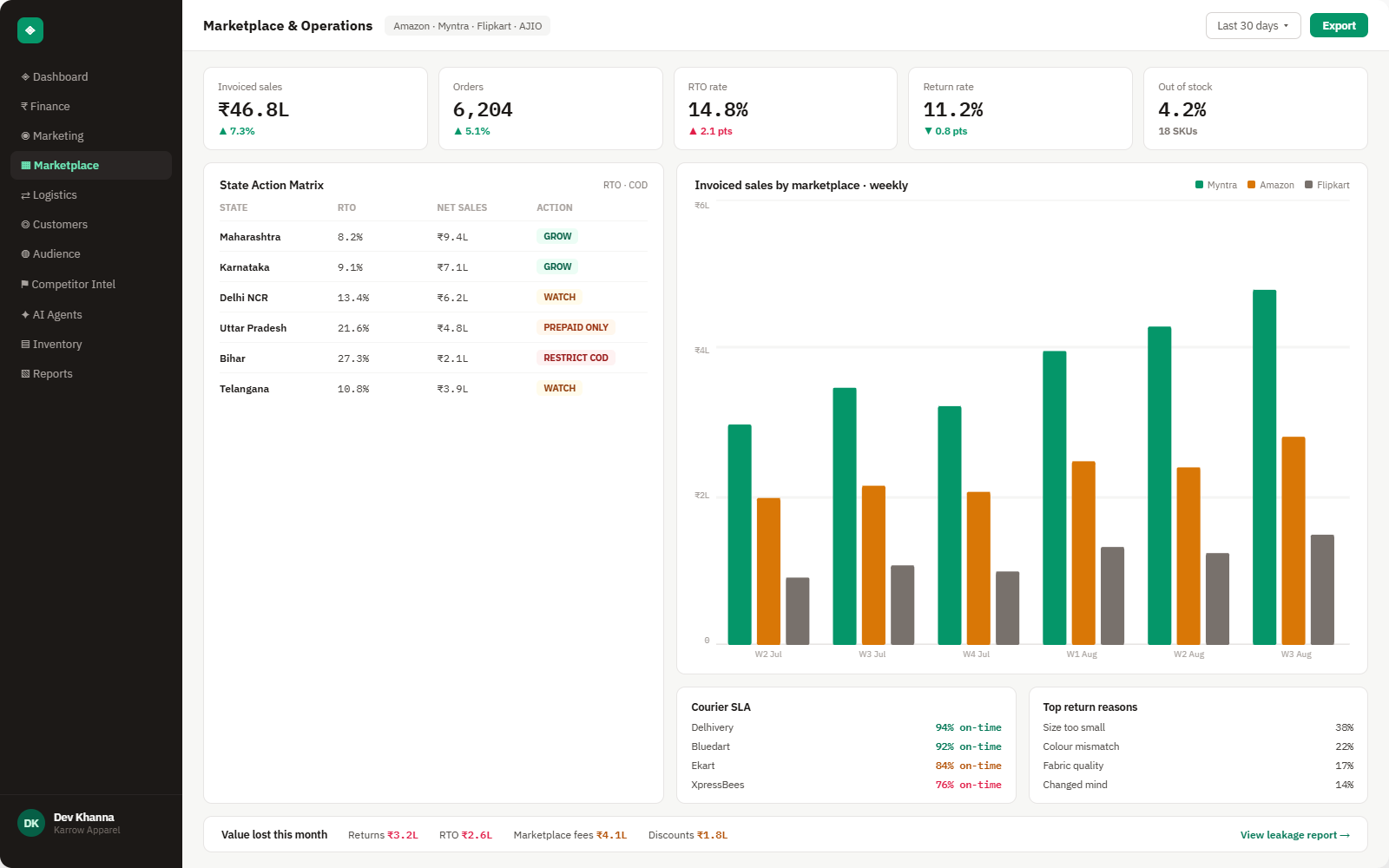
Everything Shiprocket sends into Brandnata
Once connected, shipment status updates arrive through webhooks as each parcel moves, with no manual export.

Shipments
Every shipment's status, courier, and current stage in transit.
Delivery performance
Actual vs. promised delivery time, by courier and region.
RTO tracking
Return-to-origin rate by state, courier and product, with root-cause signals.
Fulfillment speed
Time from order placed to shipment picked up, flagged when it slips.
How Brandnata uses Shiprocket data
Shipment and delivery data is matched to the originating order, so an RTO or delay in Brandnata is always traceable back to a specific customer, product and channel, not just a courier-side statistic.

Shiprocket data feeds Brandnata's anomaly alerts and AI agent suggestions. The connection itself only reads data and never changes anything in Shiprocket.
What you can do with Shiprocket in Brandnata
Specific, Shiprocket-native use cases, not a generic list that applies to every connector the same way.
See exactly which states, couriers or products are driving return-to-origin losses.
Compare delivery performance across couriers to route future shipments to the best performer per region.
Connect delivery delays to repeat purchase drop-off for the customers affected.
Catch a slowdown in pick-to-ship time before it becomes a wave of delivery complaints.
Where Brandnata + Shiprocket fits
Other ways teams currently piece this data together, and where each one runs out of reach.
| Approach | Coverage | Where it falls short |
|---|---|---|
| Brandnata + Shiprocket · this page | Shipment and delivery data matched to the originating order, revenue and customer it affected | N/A |
| Shiprocket's own dashboard | Shipment status, courier performance and RTO reporting | Lives separately from order and revenue data, so connecting a delay to its customer or revenue impact is manual |
| Courier-provided tracking pages | Per-shipment status from each individual courier | No aggregated view across couriers, so comparing SLA performance means checking each one separately |
| Manual RTO tracking | Returns logged and reviewed in a spreadsheet | State and courier-level patterns are hard to spot manually until the losses are already significant |
Shiprocket works alongside every other connector
Data from Shiprocket doesn't sit in isolation, it's matched against orders, customers and spend from every other platform you connect, so the full picture shows up automatically.

Related connectors
Brands using Shiprocket usually connect these too.
Shiprocket integration FAQs
How do I connect Shiprocket to Brandnata?
In your Shiprocket panel, go to Settings > API > Configure and click Create an API User. Use an email address that's different from your main Shiprocket login, set a password and choose which API modules the user can access. Then enter those API user credentials in Brandnata, and shipment, tracking and RTO history starts syncing.
What access does Brandnata need to my Shiprocket account?
Only the API user you create for it, never your main Shiprocket login. You decide which modules that user can reach and whether buyer details are shared, and Brandnata only reads shipment, tracking and return data. Deleting the API user under Settings > API removes Brandnata's access straight away.
Can it tell me which courier has the best delivery performance?
Yes, delivery performance is tracked and compared across every connected courier, by region, so you can route future shipments to whichever performs best where your customers actually are.
How does it help reduce RTO (return-to-origin)?
RTO is tracked by state, courier and product, with the pattern surfaced as soon as it's statistically meaningful, so you can act on a specific hotspot instead of discovering the trend in a monthly report.
Does this connect to Shiprocket alone, or other logistics platforms too?
Shiprocket connects directly. Delhivery, ShipStation, ShipBob, Unicommerce and other logistics platforms are also supported, see the full integrations directory for the complete list.
Is shipment status updated in real time?
Yes, status updates arrive via real-time webhooks as a shipment moves through pickup, transit and delivery.

Connect Shiprocket in about 5 minutes
Connects through a dedicated API user that you create in your Shiprocket panel. Read-only to start, with your first reconciled numbers within a day.