
Meta Ads ROAS measured on real orders
Brandnata connects to Meta Ads through Meta login (OAuth) to Meta's Marketing API, in about 5 minutes. The connection is read-only by default, and Meta Ads data is reconciled with every other channel you connect in one dashboard.
Connect your Meta Ads account and Brandnata pulls in every campaign, ad set and creative's spend and performance, then ties it back to actual Shopify and marketplace orders, so ROAS reflects real profit, not just Meta's own attribution.
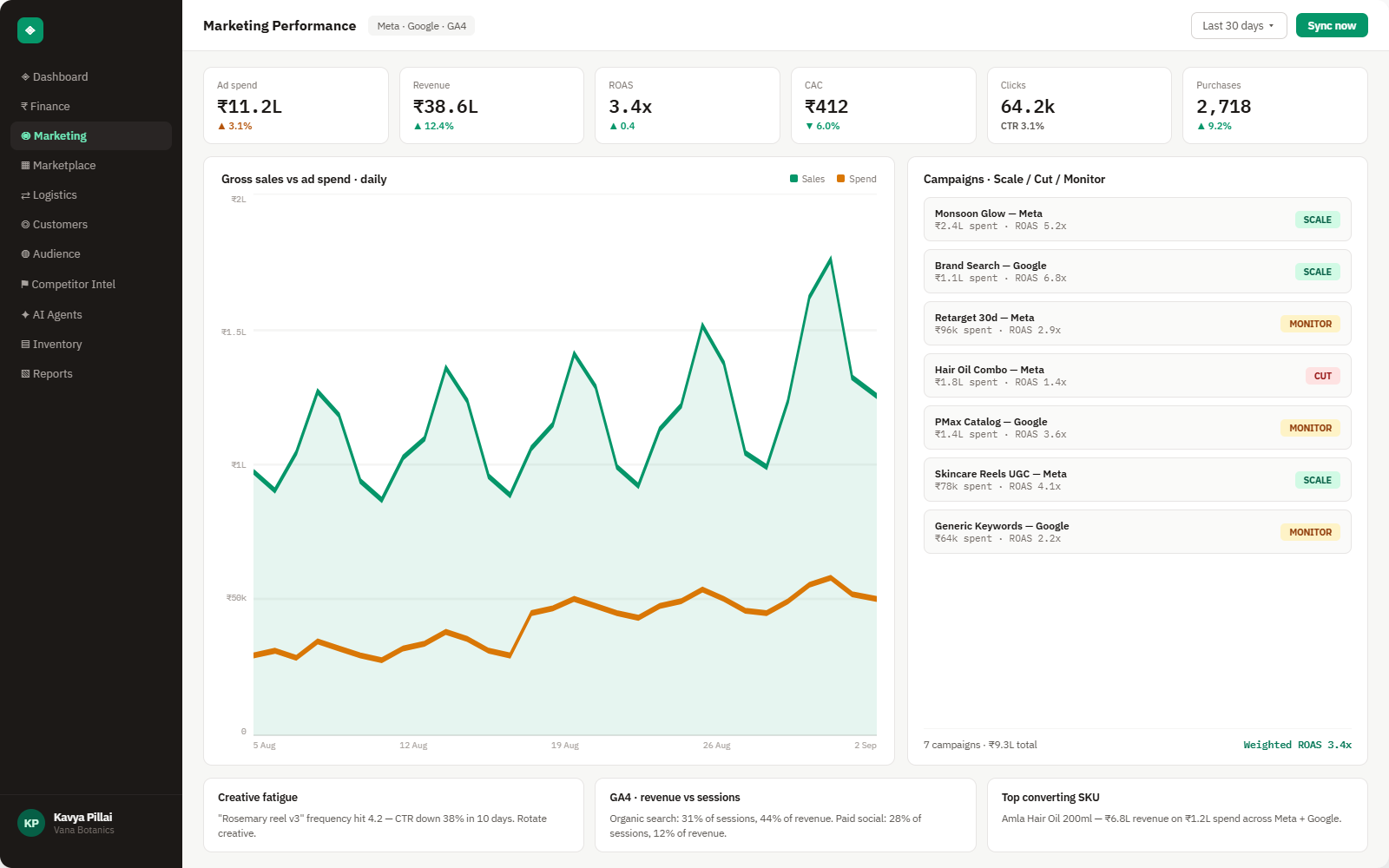
Everything Meta Ads sends into Brandnata
Once connected, spend and performance data refreshes throughout the day, with no manual export and no nightly batch job.

Campaigns & ad sets
Spend, impressions, reach and frequency across every active campaign.
ROAS & CPA
Blended and last-click ROAS, cost per acquisition by campaign and ad set.
Conversions
Purchases, add-to-carts and checkouts, matched against real order data.
Audience performance
Overlap, saturation and fatigue across every audience you're targeting.
How Brandnata uses Meta Ads data
Meta Ads spend is matched against orders from your connected storefront and marketplaces, so every dollar of ad spend in Brandnata is tied to a real, revenue-confirmed conversion rather than a platform-reported one.

AI agents can act on Meta Ads data directly, always in suggest mode first, within limits you set.
What you can do with Meta Ads in Brandnata
Specific, Meta Ads-native use cases, not a generic list that applies to every connector the same way.
See ROAS calculated against actual Shopify revenue instead of Meta's own pixel-based attribution.
Catch CTR decay per creative before it burns further spend, then let the Meta Ads Agent rotate in fresh creative automatically.
Spot which ad sets are outperforming and by how much, with a specific reallocation suggested.
Find audiences competing against each other in the same auction and get a merge recommendation.
Where Brandnata + Meta Ads fits
Other ways teams currently piece this data together, and where each one runs out of reach.
| Approach | Coverage | Where it falls short |
|---|---|---|
| Brandnata + Meta Ads · this page | Spend and ROAS matched to real, revenue-confirmed orders, with fatigue and overlap flagged automatically | N/A |
| Meta Ads Manager (native) | Platform-reported ROAS, reach and conversion data | Attribution is pixel-based and self-reported, so it can overstate ROAS versus what actually shipped and stuck |
| A separate attribution tool | Multi-touch or MMM-style attribution across ad platforms | Usually a standalone subscription that doesn't also cover inventory, returns or fulfillment in the same view |
| Manual spreadsheet tracking | Spend and conversions exported and compared by hand weekly | Too slow to catch creative fatigue or budget waste before it compounds over several days |
Meta Ads works alongside every other connector
Data from Meta Ads doesn't sit in isolation, it's matched against orders, customers and spend from every other platform you connect, so the full picture shows up automatically.

Related connectors
Brands using Meta Ads usually connect these too.
Meta Ads integration FAQs
Is this the same as the Meta Ads Agent?
No, this integration is the data connection: it brings your Meta Ads spend and performance into Brandnata and reconciles it against real revenue. The Meta Ads Agent is a separate AI agent that can act on this data automatically, suggesting or making budget, audience and creative changes within limits you set.
How do I connect Meta Ads to Brandnata?
Choose Meta Ads in Brandnata and log in with the Facebook account that has access to your ad accounts. Meta then asks you to approve read access to your ads and performance insights through its Marketing API. Pick the ad accounts to include, and campaign, ad set and creative history starts syncing straight away.
Which Meta permissions does the integration use?
Only permission to read your ad accounts, campaigns and performance insights, approved on Meta's own login screen, so no password is shared. The integration itself never edits a campaign, budget or audience. Making changes is the job of the Meta Ads Agent, which needs its own separate grant that you can revoke at any time.
How is ROAS different from what Meta reports?
Meta's own ROAS is based on its own pixel attribution, which can overcount conversions. Brandnata matches ad spend against confirmed orders from your connected storefront, so the ROAS you see reflects revenue that actually happened, not just what Meta's pixel claims.
Can it detect a fatigued creative automatically?
Yes, CTR decay per creative is tracked continuously against its own baseline, typically flagging fatigue within 24 hours of the drop.

Connect Meta Ads in about 5 minutes
Connects through Meta login (OAuth) to Meta's Marketing API. Read-only to start, with your first reconciled numbers within a day.