
GA4 ecommerce data next to real orders and ad spend
Brandnata connects to Google Analytics 4 through Google sign-in (OAuth) with read-only Analytics access, in about 5 minutes. The connection is read-only by default, and Google Analytics 4 data is reconciled with every other channel you connect in one dashboard.
Brandnata's Google Analytics 4 integration brings in sessions, traffic sources, landing pages and funnel steps from GA4, then lines them up against confirmed orders from your storefront. You see which traffic actually turns into revenue, and exactly how far GA4's revenue figures drift from what your store really took.
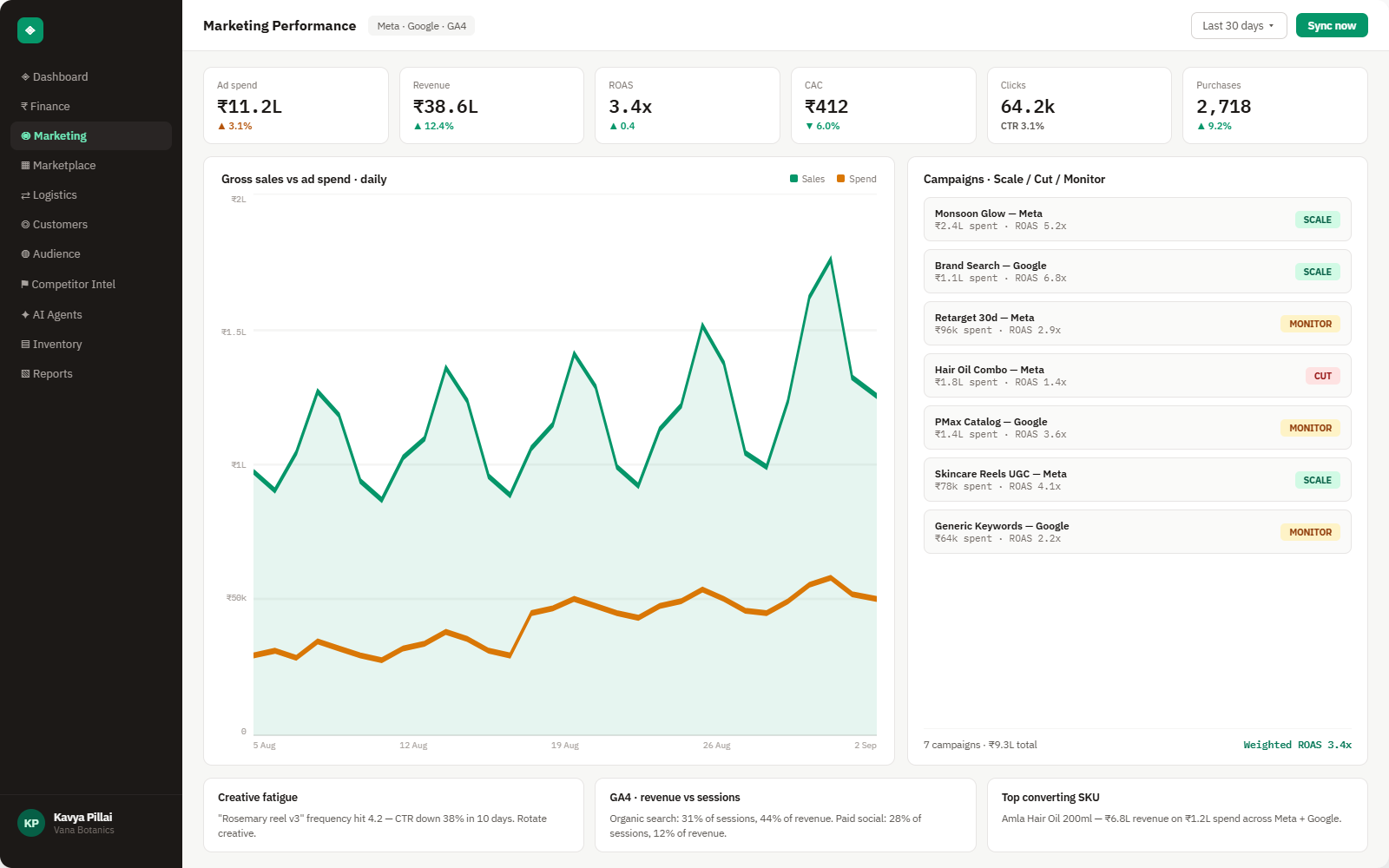
Everything Google Analytics 4 sends into Brandnata
Once connected, GA4 data refreshes daily, and the most recent days are treated as provisional while Google finishes processing them.

Users & sessions
Users, new vs. returning, sessions and engagement rate, by day and device.
Traffic sources
Sessions and conversions by default channel group, source, medium and campaign.
Landing pages
Entrances, engagement and conversion rate for every landing page.
Ecommerce funnel
Product views, add-to-carts, checkouts and purchases, step by step.
How Brandnata uses Google Analytics 4 data
GA4 is used for what it does best, which is showing how people arrive and move through your site. Revenue itself always comes from your connected storefront, so traffic and funnel data explain the numbers without replacing them, and GA4's attribution gaps never distort your profit reporting.

Google Analytics 4 data feeds Brandnata's anomaly alerts and AI agent suggestions. The connection itself only reads data and never changes anything in Google Analytics 4.
What you can do with Google Analytics 4 in Brandnata
Specific, Google Analytics 4-native use cases, not a generic list that applies to every connector the same way.
See how far GA4-reported revenue sits from your real order total each day, and which channels account for the gap.
Rank landing pages by the revenue their sessions go on to generate, not just by traffic or engagement.
Get flagged when add-to-cart or checkout completion rates fall below their normal range, before it shows up as a sales dip.
Put a revenue figure on unpaid channels like organic search, referral and direct, next to your paid ad channels.
Where Brandnata + Google Analytics 4 fits
Other ways teams currently piece this data together, and where each one runs out of reach.
| Approach | Coverage | Where it falls short |
|---|---|---|
| Brandnata + Google Analytics 4 · this page | Traffic, landing page and funnel data lined up against confirmed orders and ad spend from every connected channel | N/A |
| GA4 reports and Explorations | Detailed traffic, engagement and funnel analysis inside Google Analytics | Revenue depends on tracking tags firing correctly, so ad blockers, consent choices and checkout redirects make it undercount |
| Looker Studio dashboards | Custom GA4 charts, optionally blended with other data sources | Each blend has to be built and maintained by hand, and marketplace or logistics data usually isn't in it |
| BigQuery export | Raw GA4 event data for custom SQL analysis | Needs someone who writes SQL and maintains the pipeline, which most brand teams don't have in-house |
Google Analytics 4 works alongside every other connector
Data from Google Analytics 4 doesn't sit in isolation, it's matched against orders, customers and spend from every other platform you connect, so the full picture shows up automatically.
Related connectors
Brands using Google Analytics 4 usually connect these too.
Search, Shopping and Performance Max spend, matched to real orders.
Orders, revenue, products, customers and inventory, synced live.
WordPress store orders, refunds, products and stock, tied to ad spend and profit.
Campaigns, spend, ROAS and audience performance, tied to real revenue.
Google Analytics 4 integration FAQs
How do I connect Google Analytics 4 to Brandnata?
Choose Google Analytics 4 in Brandnata and sign in with a Google account that has at least Viewer access to your GA4 property. Approve read-only access on Google's consent screen, then pick the properties to include. Traffic, landing page and funnel data then syncs and refreshes daily.
Why doesn't GA4 revenue match my Shopify or WooCommerce revenue?
GA4 only records a purchase when its tracking tag fires in the shopper's browser, so ad blockers and declined cookie consent cause missed orders. GA4 also keeps showing gross revenue unless refunds are sent to it separately, and a reloaded thank-you page can count one order twice. A gap of a few percent is normal. Brandnata takes revenue from your store's actual orders and uses GA4 for traffic and funnel context, so you can see the size of the gap each day instead of guessing at it.
How far behind is GA4 data?
Google notes that standard GA4 reports can take 24 to 48 hours to fully process, and figures for recent days can still change during that window. Brandnata refreshes GA4 data daily and treats the most recent days as provisional, while your order and revenue numbers come straight from your storefront and stay current.
What access does Brandnata need to my Google Analytics account?
Read-only access, granted through Google's standard sign-in. Brandnata can read reports for the properties you choose but can't change your GA4 settings, events or key events. You can remove access at any time from your Google account permissions.
Does this work with Universal Analytics?
No. Google has shut down Universal Analytics, so the connection is for GA4 properties only. If you still have historical Universal Analytics exports, they can't be synced through this connector.
Can I connect more than one GA4 property?
Yes. Brands with several sites or regional stores can connect multiple properties and see them side by side or rolled up into one view.

Connect Google Analytics 4 in about 5 minutes
Connects through Google sign-in (OAuth) with read-only Analytics access. Read-only to start, with your first reconciled numbers within a day.