
Microsoft Ads ROAS and profit, side by side with Google
Brandnata connects to Microsoft Ads through a Microsoft account sign-in (OAuth) to the Microsoft Advertising API, where you consent to Brandnata reading the ad accounts you select, in about 5 minutes. The connection is read-only by default, and Microsoft Ads data is reconciled with every other channel you connect in one dashboard.
Brandnata's Microsoft Ads integration brings in spend, clicks, search terms and conversions from your Microsoft Advertising campaigns on Bing and its partner sites. Results are reported against confirmed orders from your store, beside Google Ads, so you can tell whether search budget earns more on Microsoft or on Google once refunds and overlap are accounted for.
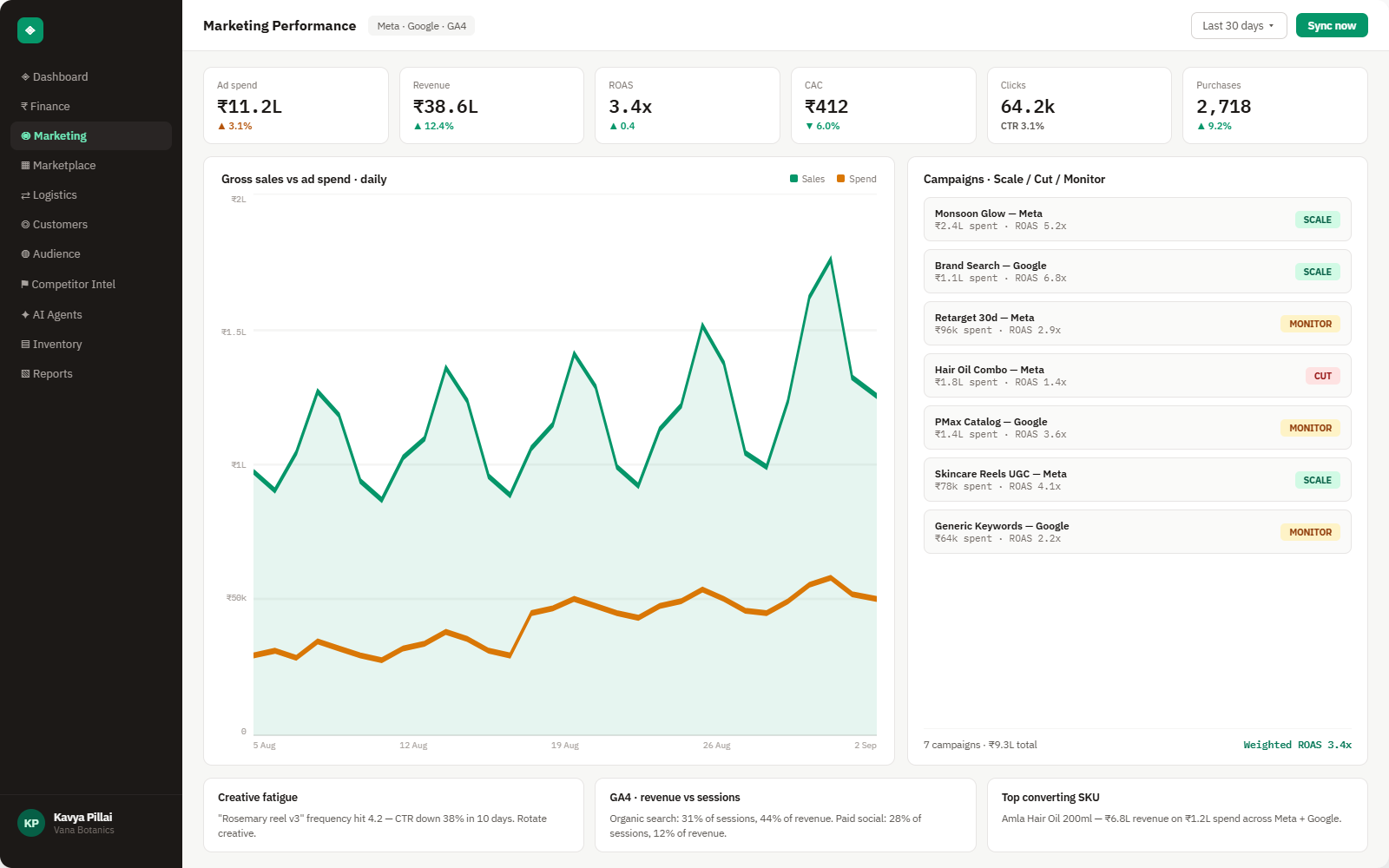
Everything Microsoft Ads sends into Brandnata
Once connected, campaign and search term data refreshes daily, and conversions inside your goal's conversion window are treated as provisional until it closes.

Campaigns & ad groups
Spend, impressions, clicks, CPC and impression share for search, Shopping and Performance Max campaigns.
Search terms & keywords
The queries that triggered your ads and the keywords they matched, with cost and conversions for both.
Products
Spend, clicks and conversions by product for Shopping and Performance Max campaigns that use your Microsoft Merchant Center feed.
Conversions & revenue
Conversions and revenue reported by your UET tag, with view-through conversions shown separately where you include them.
How Brandnata uses Microsoft Ads data
Microsoft Ads is read as a source of spend, search terms and delivery. Revenue is taken from orders your store and marketplaces confirm, which stops a sale claimed by both Microsoft and Google from being counted twice.

Microsoft Ads data feeds Brandnata's anomaly alerts and AI agent suggestions. The connection itself only reads data and never changes anything in Microsoft Ads.
What you can do with Microsoft Ads in Brandnata
Specific, Microsoft Ads-native use cases, not a generic list that applies to every connector the same way.
Compare ROAS and profit for Microsoft Ads and Google Ads using the same orders, so budget moves between them are based on sales rather than two platforms' separate counts.
Find queries that spend steadily but bring in orders with high refund rates or thin margins, and add them to your negative keyword list.
If your campaigns were copied from Google Ads with Microsoft's import tool, see whether they perform on Bing or only cost money there.
Weigh Shopping and Performance Max spend for a product against what its orders earned after returns.
Where Brandnata + Microsoft Ads fits
Other ways teams currently piece this data together, and where each one runs out of reach.
| Approach | Coverage | Where it falls short |
|---|---|---|
| Brandnata + Microsoft Ads · this page | Microsoft spend and search terms compared with confirmed orders, beside Google Ads and your social channels | N/A |
| Microsoft Advertising (native) | UET-reported conversions, revenue, search terms and auction insights for your Microsoft campaigns | Credits conversions under its own goal windows, so the same order can also appear in Google Ads, and refunds aren't removed |
| Google Analytics 4 | Sessions and purchases from Bing traffic under GA4's attribution model | Doesn't hold Microsoft Ads spend unless costs are imported, so ROAS still has to be worked out elsewhere |
| Manual spreadsheet tracking | Microsoft Advertising reports pasted beside Google Ads and order exports | Slow to keep current, and conversions still inside the window change after export |
Microsoft Ads works alongside every other connector
Data from Microsoft Ads doesn't sit in isolation, it's matched against orders, customers and spend from every other platform you connect, so the full picture shows up automatically.
Related connectors
Brands using Microsoft Ads usually connect these too.
Search, Shopping and Performance Max spend, matched to real orders.
Campaigns, spend, ROAS and audience performance, tied to real revenue.
Traffic, channels, landing pages and funnels, checked against real orders.
Orders, revenue, products, customers and inventory, synced live.
Microsoft Ads integration FAQs
How do I connect Microsoft Ads to Brandnata?
Choose Microsoft Ads in Brandnata and sign in with the Microsoft account you use for Microsoft Advertising. Microsoft asks you to consent to the app accessing your advertising data. After you agree, pick the ad accounts to include and your campaign history starts to sync.
Is Microsoft Ads the same as Bing Ads?
Yes. Bing Ads was renamed Microsoft Advertising in 2019, and many people still call it Bing Ads. Search ads run on Bing and on partner sites that use Microsoft's search results, such as Yahoo and AOL.
What conversion window does Microsoft Ads use?
A new conversion goal counts conversions for 30 days after a click by default, and you can set it anywhere up to 90 days. View-through conversions use a separate window, which is 1 day by default. Brandnata reads the conversions under your goal settings and shows them next to revenue from confirmed orders.
How do I calculate ROAS for Microsoft Ads?
ROAS is revenue from the orders your ads produced divided by what you spent on them. Microsoft Advertising reports it using conversions and revenue from your UET tag, which only works if the tag passes order values. For a figure you can trust, measure it on confirmed orders after refunds, which is how Brandnata calculates it, next to the number Microsoft reports.
Why do Microsoft Ads and Google Ads both claim the same sale?
Many shoppers search on more than one engine before buying. If someone clicked your ad on Bing and later on Google, both platforms can count the order within their own windows. Brandnata uses your store's orders as the single source of revenue, so the overlap doesn't inflate your totals.
Does the integration cover Shopping and Performance Max campaigns?
Yes. Microsoft moved its remaining Smart Shopping campaigns to Performance Max by early 2025, and both Shopping and Performance Max campaigns are reported through the same account. Brandnata brings in their spend, clicks and conversions by product.
Can Brandnata change my bids or budgets in Microsoft Ads?
No. Brandnata only reads campaign, keyword, search term and conversion data, and doesn't edit bids, budgets, keywords or ads. You can disconnect it in Brandnata at any time, or remove its access from your Microsoft account.
Can I connect more than one Microsoft Advertising account?
Yes. Agencies and brands with several ad accounts can connect each one and see them individually or combined into one view.

Connect Microsoft Ads in about 5 minutes
Connects through a Microsoft account sign-in (OAuth) to the Microsoft Advertising API, where you consent to Brandnata reading the ad accounts you select. Read-only to start, with your first reconciled numbers within a day.