
Snapchat Ads ROAS measured on orders you actually kept
Brandnata connects to Snapchat Ads through a Snapchat Business account sign-in (OAuth), where you approve access to the ad accounts you choose and Brandnata reads their reporting, in about 5 minutes. The connection is read-only by default, and Snapchat Ads data is reconciled with every other channel you connect in one dashboard.
Brandnata's Snapchat Ads integration pulls spend, impressions, swipe-ups and Pixel conversions for your campaigns, ad squads and ads. Snapchat's numbers sit beside revenue from confirmed orders, net of refunds, so you can see how much of the platform's reported return holds up and where Snapchat ranks against Meta and TikTok.
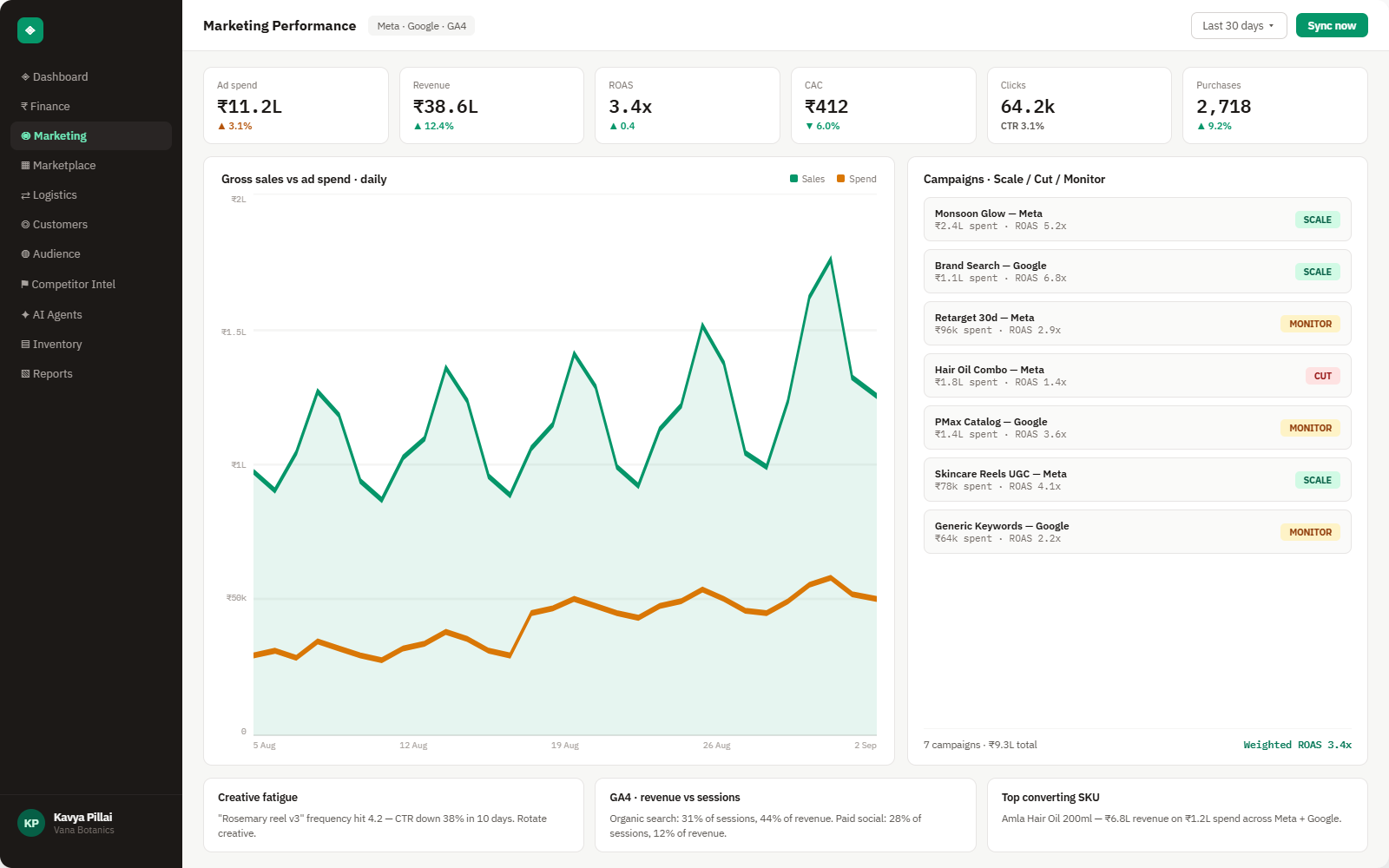
Everything Snapchat Ads sends into Brandnata
Once connected, spend and delivery refresh throughout the day. Snapchat finalizes a day's metrics about 48 hours after it ends, so Brandnata marks the latest two days as provisional.

Campaigns, ad squads & ads
Spend, impressions, CPM and frequency at all three levels of your Snapchat account structure.
Swipe-ups & video views
Swipes (Snapchat's term for clicks), swipe-up rate and video completion, useful for judging creative before sales arrive.
Pixel & Conversions API events
Purchases, add-to-carts and sign-ups reported through the Snap Pixel or Conversions API, with swipe and view credit kept apart.
ROAS & cost per purchase
The ROAS Snapchat reports next to ROAS worked out from confirmed, refund-adjusted orders.
How Brandnata uses Snapchat Ads data
Snapchat Ads provides spend, delivery and creative data, while revenue comes from orders your storefront and marketplaces confirm. A sale that Snapchat and Meta both claim is counted once, and view-through credit is labeled so it doesn't quietly inflate the channel's return.

Snapchat Ads data feeds Brandnata's anomaly alerts and AI agent suggestions. The connection itself only reads data and never changes anything in Snapchat Ads.
What you can do with Snapchat Ads in Brandnata
Specific, Snapchat Ads-native use cases, not a generic list that applies to every connector the same way.
Snapchat counts a sale if the shopper swiped within 28 days or saw the ad the day before. Brandnata shows that figure beside the orders your store recorded, so the gap is visible.
A large share of Snapchat conversions can come from views. Seeing swipe and view credit separately helps you decide how much weight to give a campaign that rarely gets clicked.
Frequency, swipe-up rate and cost per purchase are tracked by ad, so a tired creative shows up in the numbers before the budget goes with it.
Put Snapchat on the same profit scale as your other social channels and move budget based on sales, not three platforms' separate counts.
Where Brandnata + Snapchat Ads fits
Other ways teams currently piece this data together, and where each one runs out of reach.
| Approach | Coverage | Where it falls short |
|---|---|---|
| Brandnata + Snapchat Ads · this page | Snapchat spend and creative data compared with confirmed orders, on one profit scale with Meta, TikTok and Google | N/A |
| Snapchat Ads Manager (native) | Pixel and Conversions API results, ROAS, audience and creative reporting for your Snapchat campaigns | Credits sales under Snapchat's own windows, including view-through, so orders can overlap with other platforms and refunds stay in |
| Google Analytics 4 | Sessions and purchases from Snapchat traffic under GA4's attribution model | Misses most view-driven sales and has no Snapchat spend unless you import it, so ROAS has to be built elsewhere |
| Manual spreadsheet tracking | Ads Manager exports placed next to store order exports | Slow to refresh, and the last two days of Snapchat data are still changing when you export them |
Snapchat Ads works alongside every other connector
Data from Snapchat Ads doesn't sit in isolation, it's matched against orders, customers and spend from every other platform you connect, so the full picture shows up automatically.
Related connectors
Brands using Snapchat Ads usually connect these too.
Campaigns, spend, ROAS and audience performance, tied to real revenue.
Campaign spend, clicks and conversions, checked against orders you actually kept.
Pinterest campaign spend, saves and conversions, measured against the orders your store confirms.
Orders, revenue, products, customers and inventory, synced live.
Snapchat Ads integration FAQs
How do I connect Snapchat Ads to Brandnata?
Choose Snapchat Ads in Brandnata and sign in with the Snapchat account that has access to your ad accounts in Business Manager. Snapchat asks you to approve the connection, after which you select the ad accounts to include and campaign history begins to sync. You can remove access later from Brandnata or from your Snapchat business settings.
What attribution window does Snapchat Ads use?
By default, Snapchat credits a conversion to an ad if the person swiped up within 28 days or viewed it within 1 day. You can shorten the swipe window to 1 or 7 days and change the view window in reporting. Brandnata labels the window behind any Snapchat figure it displays.
Why doesn't Snapchat Ads revenue match my Shopify sales?
Snapchat counts a purchase if the shopper swiped your ad in the past 28 days or saw it the day before, even when they bought after clicking a Google or Meta ad. Those platforms claim the same order, so the totals add up to more than you sold. Refunds also stay in Snapchat's number. Brandnata uses confirmed orders as the revenue source and shows Snapchat's figure next to it.
Do I need the Snap Pixel and the Conversions API?
Snapchat can only report purchases it receives, so at least one is needed. Running the Pixel together with the Conversions API sends events from both the browser and your server, which recovers purchases lost to ad blockers and browser privacy settings. Set up deduplication so the same order isn't counted twice.
How do I measure Snapchat Ads ROAS accurately?
Divide revenue from confirmed orders by Snapchat spend, after refunds and cancellations, over a period that covers the 28-day swipe window. Look at swipe and view conversions separately, since view credit is the part most likely to overlap with other channels. Brandnata runs this calculation from your store's orders and shows it beside Snapchat's own ROAS.
Can Brandnata change my Snapchat campaigns?
No. Snapchat's API access isn't split into read and write permissions, but Brandnata only reads reporting data. It doesn't edit budgets, bids, ad squads or creative.
Can I connect more than one Snapchat ad account?
Yes. Brands with regional accounts and agencies managing several clients can connect them all and view the results separately or combined.

Connect Snapchat Ads in about 5 minutes
Connects through a Snapchat Business account sign-in (OAuth), where you approve access to the ad accounts you choose and Brandnata reads their reporting. Read-only to start, with your first reconciled numbers within a day.