
Salesforce Commerce Cloud profit after ad spend, fees and returns
Brandnata connects to Salesforce Commerce Cloud through an API client that you create in Account Manager with the Salesforce Commerce API role and a read-only orders scope for your tenant, in about 5 minutes. The connection is read-only by default, and Salesforce Commerce Cloud data is reconciled with every other channel you connect in one dashboard.
Brandnata's Salesforce Commerce Cloud integration reads orders, returns, products and site data from your B2C Commerce instance through the Salesforce Commerce API. Revenue is combined with ad spend, payment processing fees, shipping and product costs from your other connections, giving profit by site, product and campaign that Business Manager reports don't show.
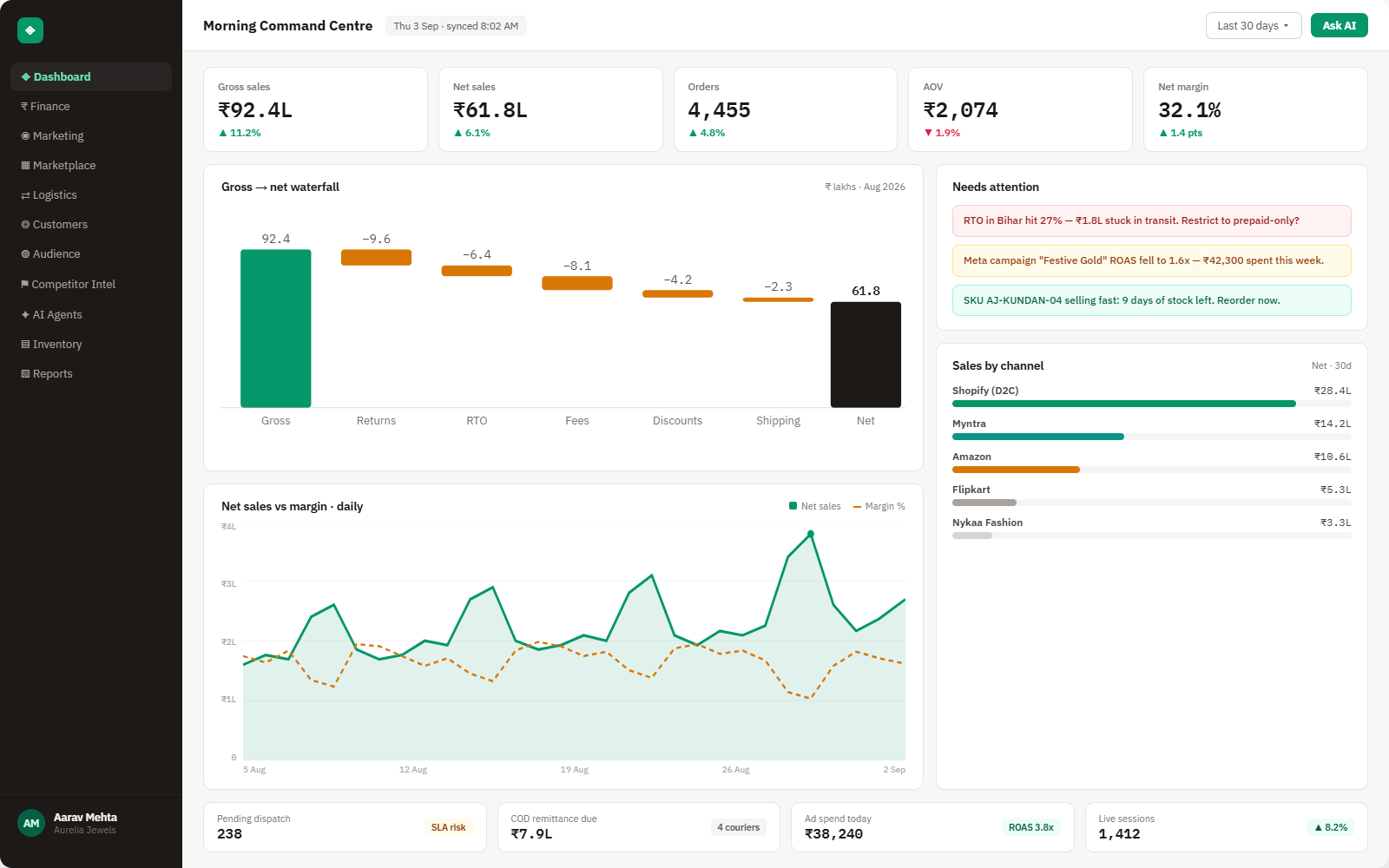
Everything Salesforce Commerce Cloud sends into Brandnata
Once connected, new orders and order status changes sync throughout the day, and product data updates on each sync.

Orders
Orders with line items, promotions, shipping, tax, payment method and the site and currency they were placed in.
Returns & cancellations
Returns, refunds and cancelled orders, dated to when they happened rather than the original order date.
Products
Products and variants with prices, used to map revenue to product costs.
Sites & locales
Orders grouped by site, region and currency, for brands running several storefronts on one instance.
How Brandnata uses Salesforce Commerce Cloud data
Salesforce Commerce Cloud supplies the storefront side of an enterprise brand. Brandnata adds ad spend from Google Ads, Meta Ads and Criteo, processing fees from Stripe or PayPal and shipping costs, and assigns them to the orders they belong to, turning SFCC revenue into profit by site, product and campaign.

Salesforce Commerce Cloud data feeds Brandnata's anomaly alerts and AI agent suggestions. The connection itself only reads data and never changes anything in Salesforce Commerce Cloud.
What you can do with Salesforce Commerce Cloud in Brandnata
Specific, Salesforce Commerce Cloud-native use cases, not a generic list that applies to every connector the same way.
Brands with several SFCC sites see contribution margin for each, in its own currency, after the costs that belong to it.
Put Google Ads, Meta Ads and Criteo spend against the orders they drove and judge campaigns on profit.
Refunds and returns are booked to the day they happened, so a strong month isn't overstated by returns that arrive later.
See whether a promotion added profitable orders or only discounted demand you already had.
Where Brandnata + Salesforce Commerce Cloud fits
Other ways teams currently piece this data together, and where each one runs out of reach.
| Approach | Coverage | Where it falls short |
|---|---|---|
| Brandnata + Salesforce Commerce Cloud · this page | Orders and returns combined with ad spend, payment fees, shipping and product costs, giving profit by site, product and campaign | N/A |
| Business Manager Reports & Dashboards (native) | Revenue, orders, units, average order value, tax and shipping by site | No ad spend, processing fees or product costs, so reporting stops at revenue |
| CRM Analytics or a data warehouse | Custom dashboards built on exported commerce data | Needs licences or data engineering, and ad and fee data still have to be modelled |
| Spreadsheets | Order exports matched with ad and payment reports | Hard to keep up at enterprise order volumes and across several sites and currencies |
Salesforce Commerce Cloud works alongside every other connector
Data from Salesforce Commerce Cloud doesn't sit in isolation, it's matched against orders, customers and spend from every other platform you connect, so the full picture shows up automatically.
Related connectors
Brands using Salesforce Commerce Cloud usually connect these too.
Magento and Adobe Commerce orders, invoices, credit memos and discounts, turned into profit by product and store.
Orders, revenue, products, customers and inventory, synced live.

Criteo spend, clicks and attributed sales, compared with store orders, refunds and margin.
Search, Shopping and Performance Max spend, matched to real orders.
Salesforce Commerce Cloud integration FAQs
How do I connect Salesforce Commerce Cloud to Brandnata?
In Account Manager, add an API client for Brandnata, give it the Salesforce Commerce API role for your organization, and allow the tenant scope plus the read-only orders scope. Enter the client ID, secret and tenant details in Brandnata. Disabling the API client in Account Manager ends access.
Should I use OCAPI or SCAPI?
SCAPI, the Salesforce Commerce API. Salesforce recommends it for new work and has marked OCAPI as deprecated, with security fixes only for a limited period. Brandnata connects through the Commerce API's Admin APIs.
Does Salesforce Commerce Cloud show profit?
Not by default. Business Manager reports show revenue, orders, units, average order value, tax and shipping, but not advertising, processing fees or product costs. Brandnata adds those to calculate profit.
Can Shopper APIs read all orders?
No. Shopper APIs act on behalf of a shopper and use their own authorization service. Back-office access to all orders uses the Admin APIs, secured through Account Manager, which is how Brandnata connects.
Does Brandnata support several sites on one instance?
Yes. Orders keep their site and currency, so Brandnata reports each site separately and in total, with ad spend and costs assigned to the site they belong to.
How is Salesforce Commerce Cloud priced?
Salesforce prices Commerce Cloud as a share of gross merchandise value, without public rates. If you enter your agreed rate in Brandnata, it can be included as a cost in your margin.
Can Brandnata change orders or products in SFCC?
No. The API client only needs read access to orders. Brandnata doesn't create, edit or cancel orders, or change products, prices or promotions.

Connect Salesforce Commerce Cloud in about 5 minutes
Connects through an API client that you create in Account Manager with the Salesforce Commerce API role and a read-only orders scope for your tenant. Read-only to start, with your first reconciled numbers within a day.