
Shopify Payments payout reconciliation down to each order
Brandnata connects to Shopify Payments through your Shopify app connection, with read access to payouts and disputes approved in Shopify admin, in about 5 minutes. The connection is read-only by default, and Shopify Payments data is reconciled with every other channel you connect in one dashboard.
Brandnata reads your Shopify Payments payouts, balance transactions and disputes through the same Shopify app connection that brings in your orders. Each processing fee, currency conversion charge and chargeback is attached to its order, so every payout can be explained line by line and payment costs come out of product and channel margin.
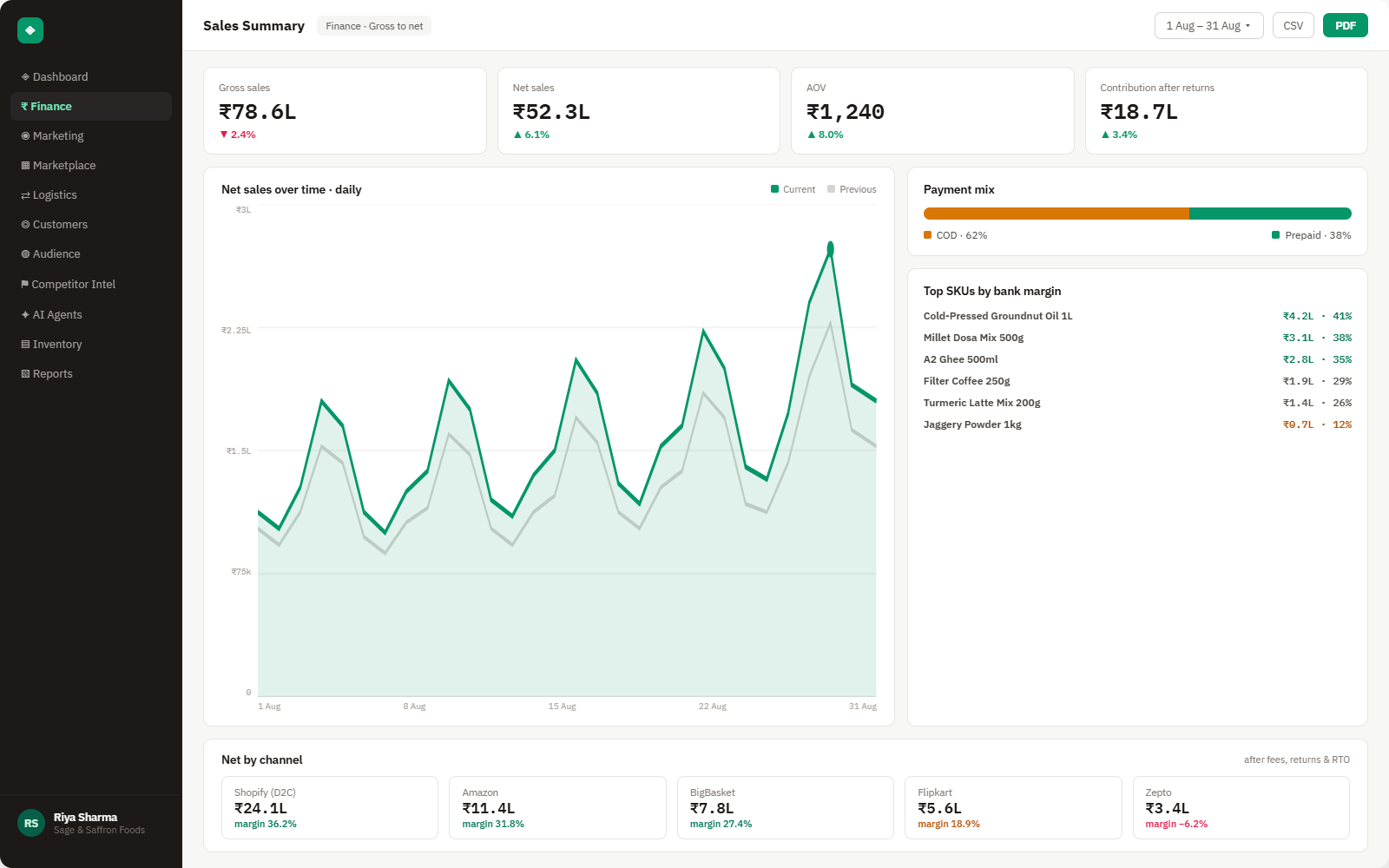
Everything Shopify Payments sends into Brandnata
Balance transactions and disputes sync throughout the day, and each payout is matched once Shopify issues it. Fees come from the transaction record itself, so they agree with your Payouts page rather than a published rate.

Payouts
Each payout with its status, issue date, net amount and the split between charges, refunds, adjustments and their fees.
Balance transactions
Gross amount, processing fee and net for every charge, refund and adjustment, linked to the order and payout it belongs to.
Disputes
Inquiries and chargebacks with the disputed amount, reason, status and evidence deadline, tied back to the order.
Third-party transaction fees
Shopify's plan-based fee on orders paid through another gateway, worked out from your plan rate and the gateway on each order.
How Brandnata uses Shopify Payments data
Shopify Payments data tells Brandnata what each storefront order cost to collect. Card fees, conversion charges, refunds and lost chargebacks are applied to the order they came from, then rolled up by product, market and channel, so Shopify revenue is reported net of payment costs next to marketplace sales.

Shopify Payments data feeds Brandnata's anomaly alerts and AI agent suggestions. The connection itself only reads data and never changes anything in Shopify Payments.
What you can do with Shopify Payments in Brandnata
Specific, Shopify Payments-native use cases, not a generic list that applies to every connector the same way.
See which charges, refunds, chargebacks and adjustments make up each deposit, so the number on your bank statement ties back to specific orders.
The card fee Shopify recorded on each payment is charged to that order, so products sold mostly to international cards show their real cost.
Shopify keeps the original processing fee on refunded orders and adds a fee to chargebacks you lose. Brandnata counts both against the product.
Where Brandnata + Shopify Payments fits
Other ways teams currently piece this data together, and where each one runs out of reach.
| Approach | Coverage | Where it falls short |
|---|---|---|
| Brandnata + Shopify Payments · this page | Payouts split into orders, with card fees, conversion, refunds and chargebacks applied to each product and channel | N/A |
| Shopify admin Payouts page (native) | Payout list, fees per payout and transaction exports for your Shopify Payments account | Organized by payout and transaction, so fees aren't shown against product margin, ad spend or other sales channels |
| Accounting sync apps | Payout totals and fees posted to your books as journal entries | Built for bookkeeping, so fees stay at payout level instead of on each order and SKU |
| Payout exports in spreadsheets | Transaction CSVs from Shopify admin joined to order exports with lookups | Refunds and chargebacks land in later payouts than the original sale, which breaks simple lookups |
Shopify Payments works alongside every other connector
Data from Shopify Payments doesn't sit in isolation, it's matched against orders, customers and spend from every other platform you connect, so the full picture shows up automatically.
Related connectors
Brands using Shopify Payments usually connect these too.
Orders, revenue, products, customers and inventory, synced live.
Charges, processing fees, refunds, disputes and payouts from Stripe, tied to your orders.
PayPal payments, fees, refunds and disputes, tied to your orders and payouts.
Razorpay payments, fees with GST, refunds and settlements, tied back to your orders.
Shopify Payments integration FAQs
Shopify Payments details on this page were last checked against Shopify Payments's own documentation on .
How do I connect Shopify Payments to Brandnata?
There's nothing separate to install, because Shopify Payments data comes through your Shopify connection. When you approve the Brandnata app in Shopify admin, accept the payouts and disputes permissions on the approval screen. Approve it as the store owner or a staff member allowed to view payouts, and payout history syncs alongside your orders.
How much does Shopify Payments charge per transaction?
It depends on your plan and country. There's no setup or monthly fee; you pay a card rate that drops on higher plans, listed under Settings > Payments as Domestic and Rest of World rates. Converting a sale into your payout currency adds 1.5% in the US and 2% in other countries. Brandnata reads the fee recorded on each transaction.
What are Shopify's third-party transaction fees?
They're a Shopify charge on orders paid through a gateway other than Shopify Payments: 2% on Basic, 1% on Grow, 0.6% on Advanced and 0.2% on Plus, on top of the gateway's own fee. PayPal is exempt when Shopify Payments is your primary provider. Brandnata adds this charge to each affected order.
Is Shopify Payments available in India?
No. Shopify Payments isn't offered to stores based in India. It's available in around 40 countries and regions, including the US, Canada, the UK, most EU countries, Australia, Japan, Singapore and the UAE. Indian stores use third-party gateways such as Razorpay or Cashfree, which Brandnata connects to through their own integrations.
How do chargebacks work with Shopify Payments?
When a chargeback is opened, the disputed amount and a chargeback fee are taken from your balance, usually from the next payout. The fee is $15 in the US, £10 in the UK and €15 in most EU countries, and Shopify returns it if you win. Brandnata links each dispute to its order and product.
Does Shopify return processing fees on refunded orders?
No. When you refund an order paid with Shopify Payments, the original card fee isn't returned, although the refund itself adds no new fee. The refunded amount comes out of your next payout. Brandnata leaves the lost fee on the refunded order, so products with high return rates show their full cost.
Can Brandnata move money or change my Shopify Payments settings?
No. Brandnata only reads payouts, balance transactions and disputes. It can't issue refunds, respond to chargebacks, change your payout schedule or bank account, or move funds. Removing the Brandnata app from Shopify admin ends its access to Shopify Payments data along with your orders.

Connect Shopify Payments in about 5 minutes
Connects through your Shopify app connection, with read access to payouts and disputes approved in Shopify admin. Read-only to start, with your first reconciled numbers within a day.