
YouTube Ads ROAS, with view-through credit checked on real orders
Brandnata connects to YouTube Ads through Google sign-in (OAuth) to the Google Ads API, the same account your YouTube campaigns run from, in about 5 minutes. The connection is read-only by default, and YouTube Ads data is reconciled with every other channel you connect in one dashboard.
YouTube ads are bought and reported in Google Ads, so Brandnata reads your Video and Demand Gen campaigns through the Google Ads API and separates click, engaged-view and view-through conversions. Credited sales are then checked against your store orders, and daily sales on Amazon and your store are shown next to your flight dates.
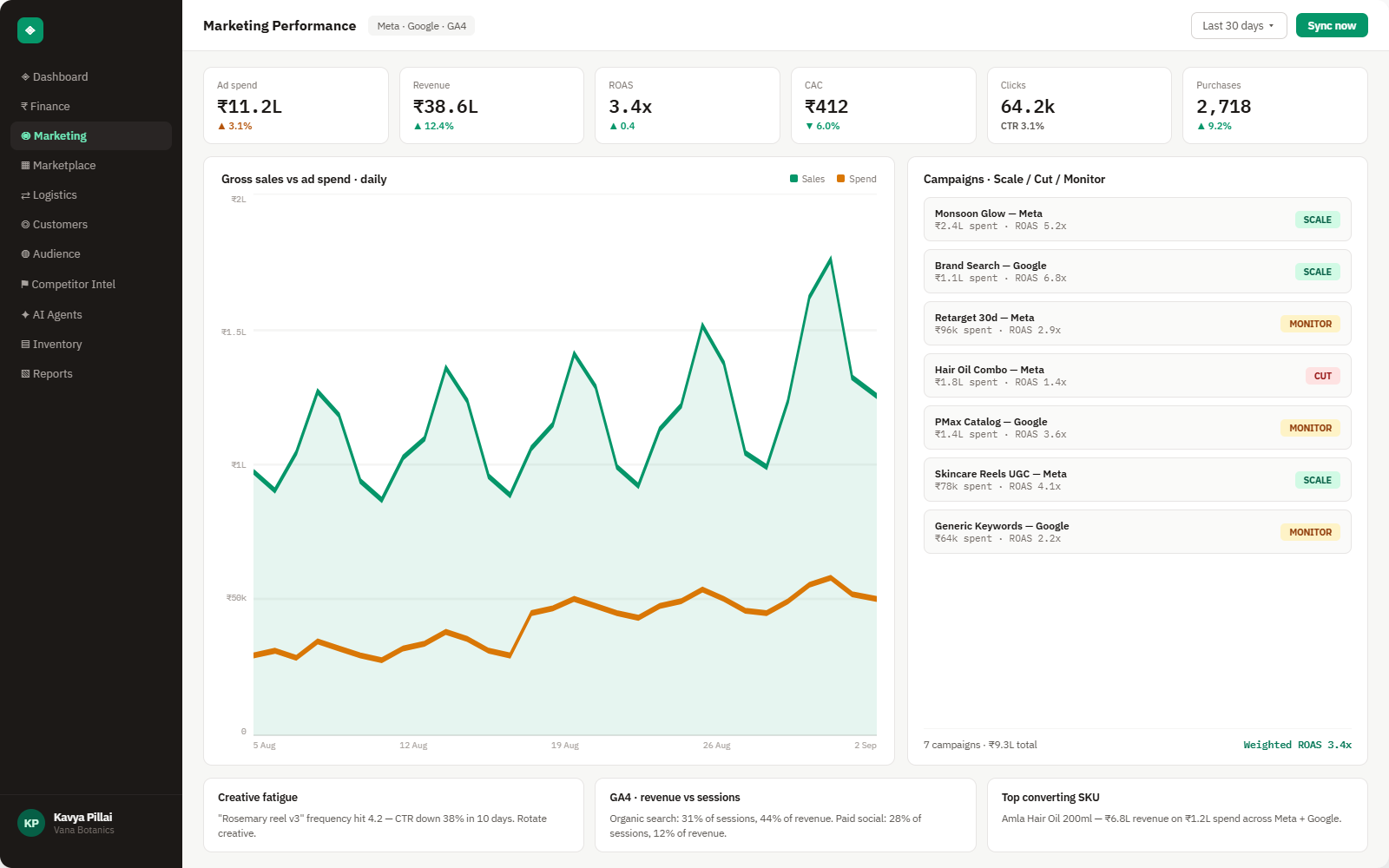
Everything YouTube Ads sends into Brandnata
Once connected, YouTube campaign data refreshes daily, and recent days are pulled again as Google adds conversions that arrive inside their attribution windows.

Video & Demand Gen campaigns
Spend, impressions, views and clicks for YouTube Video and Demand Gen campaigns, down to the ad.
View-through & engaged-view
Conversions credited after a click, an engaged view or an impression alone, kept in separate columns.
View rate & completion
How far viewers watch each ad, by quartile, next to what each view costs.
Reach & frequency
Unique users reached and how often they saw your ads, where Google reports it for the campaign type.
How Brandnata uses YouTube Ads data
YouTube spend is read from Google Ads and set next to Meta Ads, TikTok Ads and Google Search spend. Credited conversions are checked against orders from Shopify or your other store, and Amazon and Flipkart sales are shown by day so effects outside the click can be judged.

AI agents can act on YouTube Ads data directly, always in suggest mode first, within limits you set.
What you can do with YouTube Ads in Brandnata
Specific, YouTube Ads-native use cases, not a generic list that applies to every connector the same way.
Compare the revenue Google credits to YouTube with the orders in your store, after refunds and product costs, with view-through credit shown on its own line.
Rank Demand Gen campaigns next to Meta Ads and Google Search on the same order-matched basis instead of each platform's own attribution.
See cost per view, completion rate and credited orders for each ad side by side, so weak creatives are cut on evidence.
Where Brandnata + YouTube Ads fits
Other ways teams currently piece this data together, and where each one runs out of reach.
| Approach | Coverage | Where it falls short |
|---|---|---|
| Brandnata + YouTube Ads · this page | Video and Demand Gen spend with click, engaged-view and view-through credit checked against store orders, plus marketplace sales by flight | N/A |
| Google Ads reporting (native) | YouTube spend, views, conversions and view-through conversions inside Google Ads | Credit follows Google's own attribution, isn't checked against refunds or product costs, and ignores marketplace sales |
| Google Analytics 4 | Site sessions and key events, including engaged-view key events from linked YouTube ads | Uses its own attribution, so YouTube results differ from Google Ads and still aren't tied to margin |
| Spreadsheets | Google Ads exports joined with store and marketplace sales by date | Recent days change as conversions arrive late, so exports go out of date and view-through credit is easy to double count |
YouTube Ads works alongside every other connector
Data from YouTube Ads doesn't sit in isolation, it's matched against orders, customers and spend from every other platform you connect, so the full picture shows up automatically.
Related connectors
Brands using YouTube Ads usually connect these too.
Search, Shopping and Performance Max spend, matched to real orders.
Campaigns, spend, ROAS and audience performance, tied to real revenue.
Traffic, channels, landing pages and funnels, checked against real orders.
Marketplace sales, fees, ads and inventory across every Amazon region.
YouTube Ads integration FAQs
YouTube Ads details on this page were last checked against YouTube Ads's own documentation on .
How do I connect YouTube Ads to Brandnata?
Choose YouTube Ads in Brandnata and sign in with a Google account that can access the Google Ads account, or manager (MCC) account, your YouTube campaigns run from. Approve Google's consent screen and pick the accounts to include. YouTube is reported through the Google Ads API, so the same connection also covers Google Ads.
What is a view-through conversion on YouTube?
A view-through conversion is a conversion from someone who saw your ad but didn't interact with it, then converted later within the view-through window. For most campaign types Google reports these for information only, outside the Conversions column, but Demand Gen is an exception. Brandnata keeps view-through credit separate from click credit.
What is an engaged-view conversion?
An engaged-view conversion is counted when someone watches at least 10 seconds of a skippable in-stream ad, or the whole ad if shorter, or 5 seconds of an in-feed or Shorts ad, then converts. Google includes these in the Conversions column. The default window is 3 days for web conversions and 1 day for Demand Gen.
How much do YouTube ads cost?
There's no fixed price, because YouTube ads are bought in an auction. With cost-per-view bidding on skippable in-stream ads, you pay when someone watches 30 seconds, or the whole ad if shorter, or interacts with it. Bumper ads and Target CPM campaigns are charged per impression. Brandnata uses the spend Google reports for your account.
How do I calculate ROAS for YouTube ads?
Divide the revenue from orders your YouTube ads drove by YouTube ad spend for the same period. Google's figure includes engaged-view and sometimes view-through credit, so Brandnata also shows ROAS on click-led orders alone, and on profit after refunds and product costs, to give a lower and an upper bound.
What happened to Video action campaigns?
Google replaced Video action campaigns with Demand Gen. It stopped new Video action campaigns in April 2025, began upgrading existing ones automatically in July 2025, and said the last would be upgraded by April 2026. Brandnata reads both, so history from before the upgrade stays comparable.
Can Brandnata change my YouTube campaigns?
Not by default. Brandnata only reads your data unless you separately grant a specific, revocable permission, and even then it doesn't upload videos, create ads or change targeting. Google's API only allows reporting on Video campaigns, so any approved budget or status change applies to Demand Gen campaigns only.

Connect YouTube Ads in about 5 minutes
Connects through Google sign-in (OAuth) to the Google Ads API, the same account your YouTube campaigns run from. Read-only to start, with your first reconciled numbers within a day.