
BigCommerce profit analytics and true ROAS
Brandnata connects to BigCommerce through a BigCommerce app install, where you approve read-only access to orders, products and customers from your store control panel, in about 5 minutes. The connection is read-only by default, and BigCommerce data is reconciled with every other channel you connect in one dashboard.
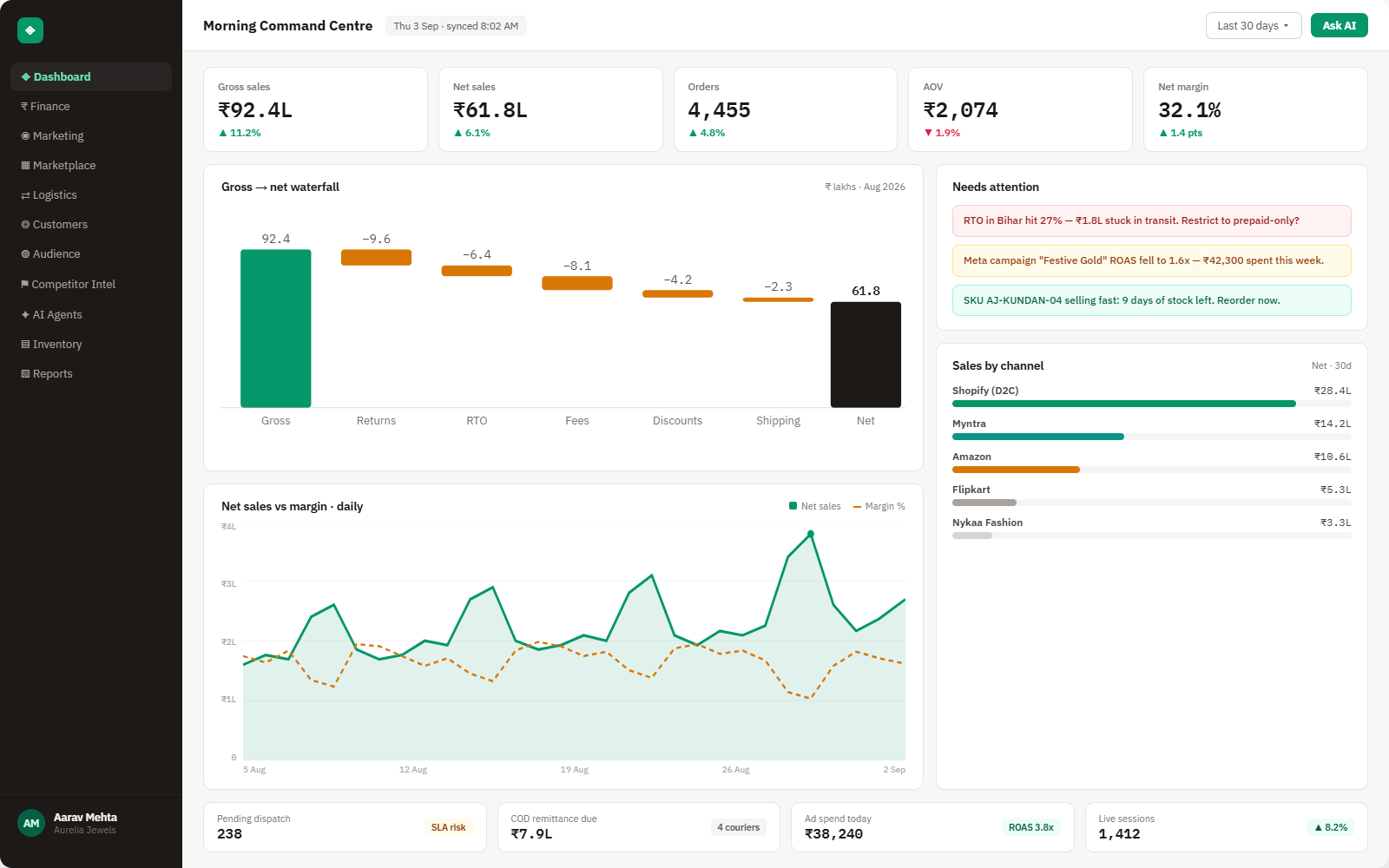
Brandnata's BigCommerce integration brings your store's orders, refunds, catalog and stock levels into the same view as your ad accounts and marketplaces. Revenue from BigCommerce is weighed against what you spent on Meta and Google to win it, so you can see the profit each channel returns, not only the sales total in your control panel.
Everything BigCommerce sends into Brandnata
Once connected, orders, refunds and stock levels sync throughout the day, so new sales show up without an export.

Orders & refunds
Orders with line items, coupons, shipping, tax and full or partial refunds, plus the storefront or channel the sale came through.
Products & variants
Your catalog with variants, categories and brands, so sales and returns can be read at SKU level.
Customers & groups
Registered and guest shoppers, customer groups, repeat purchase rate and lifetime value.
Inventory
Stock on hand by product and variant, compared with how quickly it is selling.
How Brandnata uses BigCommerce data
BigCommerce is treated as one sales channel among several. Its orders sit alongside Amazon, Walmart and your other storefronts, and its revenue is compared with Meta and Google spend, so a BigCommerce store's margin and ROAS are measured on the same basis as the rest of the business.

BigCommerce data feeds Brandnata's anomaly alerts and AI agent suggestions. The connection itself only reads data and never changes anything in BigCommerce.
What you can do with BigCommerce in Brandnata
Specific, BigCommerce-native use cases, not a generic list that applies to every connector the same way.
Put BigCommerce revenue next to Meta and Google spend and see ROAS calculated on real orders after refunds and discounts, not on conversions reported by an ad pixel.
Find out which coupon codes and promotions bring in first-time buyers and which mostly discount orders you would have taken at full price.
If you sell to trade buyers through customer groups, compare order value, repeat rate and refunds for wholesale and retail customers separately.
See days of cover for your fastest-moving variants, worked out from recent sales, so a reorder goes in before an ad-driven product sells out.
Where Brandnata + BigCommerce fits
Other ways teams currently piece this data together, and where each one runs out of reach.
| Approach | Coverage | Where it falls short |
|---|---|---|
| Brandnata + BigCommerce · this page | Orders, refunds and stock combined with ad spend and marketplace sales, with profit and ROAS by channel | N/A |
| BigCommerce Analytics (native) | Store overview, merchandising, marketing, orders and abandoned cart reports for your BigCommerce store | Reports revenue and conversion, but ad spend from Meta and Google and sales on other channels aren't part of the numbers |
| Ad platform dashboards (Meta, Google) | Conversions and ROAS that each ad platform attributes to its own campaigns | Each platform counts the sales it influenced, so the same BigCommerce order can be claimed more than once and refunds stay in |
| Spreadsheets | Order exports pasted next to ad platform reports in Excel or Google Sheets | Rebuilt by hand week after week, and refunds or discounts applied after the export are easy to miss |
BigCommerce works alongside every other connector
Data from BigCommerce doesn't sit in isolation, it's matched against orders, customers and spend from every other platform you connect, so the full picture shows up automatically.
Related connectors
Brands using BigCommerce usually connect these too.
Orders, revenue, products, customers and inventory, synced live.
WordPress store orders, refunds, products and stock, tied to ad spend and profit.
PayPal payments, fees, refunds and disputes, tied to your orders and payouts.
Search, Shopping and Performance Max spend, matched to real orders.
BigCommerce integration FAQs
How do I connect BigCommerce to Brandnata?
Choose BigCommerce in Brandnata, sign in to your store control panel and install the app. BigCommerce shows the permissions requested, which are read-only access to orders, products and customers, and you approve them in one step. You can uninstall the app from your control panel whenever you like, which ends Brandnata's access.
Can BigCommerce show my profit or ROAS?
BigCommerce Analytics reports revenue, orders, conversion rate and sales by marketing channel, but it doesn't know what you spent on Meta or Google Ads, so it can't work out ROAS or profit after ad costs. Brandnata brings that spend in and calculates both from your actual BigCommerce orders.
Does BigCommerce charge transaction fees?
Since June 1, 2026, BigCommerce's self-service plans are called Core, Growth and Scale. Orders paid through one of BigCommerce's Embedded Payment Providers, such as BigCommerce Payments, Stripe or PayPal, carry no extra platform fee. Orders paid through any other provider are subject to a monthly Open Payment Provider Fee of 2% on Core, 1% on Growth and 0.6% on Scale. Your payment processor's own fees are charged separately.
How do I calculate true ROAS for my BigCommerce store?
Divide the revenue from orders your ads produced by what you spent on those ads, after taking out refunds and cancelled orders. Ad platforms tend to over-report because every platform counts conversions it influenced, and the same order can be claimed twice. Brandnata calculates ROAS from BigCommerce orders, so each sale is counted once.
Are refunds and discounts included in the numbers?
Yes. Full and partial refunds, coupon codes and automatic promotions all come through with the order, so revenue, margin and ROAS are reported net of them.
Can Brandnata change my products, prices or orders in BigCommerce?
No. The app asks for read-only access. Brandnata reads orders, products, customers and stock levels and can't edit your catalog, change prices or update orders.

Connect BigCommerce in about 5 minutes
Connects through a BigCommerce app install, where you approve read-only access to orders, products and customers from your store control panel. Read-only to start, with your first reconciled numbers within a day.