
 Brandnata + MyntraMarketplaces
Myntra seller profit after commission, returns and fees
Brandnata connects to Myntra through the Myntra API credentials your Myntra account manager issues for your seller account, with payout statements from the Partner Portal added for settlement details, in about 5 minutes. The connection is read-only by default, and Myntra data is reconciled with every other channel you connect in one dashboard.
Brandnata's Myntra integration brings in your Myntra orders, returns and payout statements, including commission, fixed fees, logistics, payment gateway fees, reverse shipping and GST. Those deductions are set against each order and combined with ad spend and product costs, so you can see what a style really earns on Myntra once returns are counted.
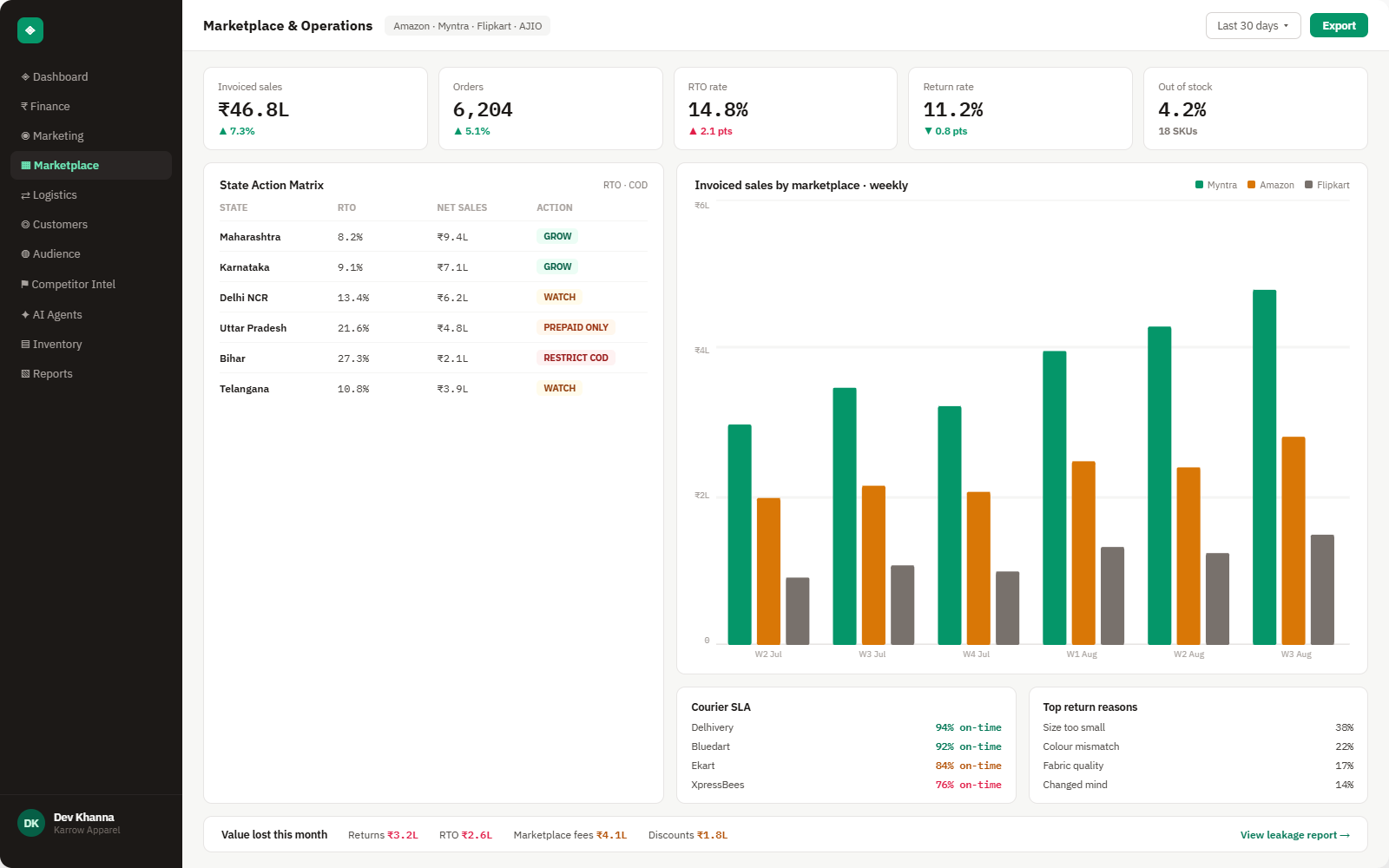
Everything Myntra sends into Brandnata
Once connected, orders and returns sync throughout the day, and payout data updates each time Myntra publishes a new statement.

Orders
Myntra orders with style, size, selling price, order date and fulfillment status.
Returns
Customer returns and their reverse shipping fees, linked back to the original order and style.
Payout statements
Commission, fixed fee, logistics, pick and pack, payment gateway fee, GST on fees and the amount finally settled.
TCS & TDS
Tax collected and deducted at source on your Myntra sales, kept apart from fees so payouts reconcile.
How Brandnata uses Myntra data
Myntra supplies the marketplace side of a fashion or lifestyle brand. Brandnata combines its orders, returns and payout deductions with product costs and ad spend, then compares Myntra with your other channels such as Flipkart, Amazon and your own store, so every channel is judged on the same definition of profit.

Myntra data feeds Brandnata's anomaly alerts and AI agent suggestions. The connection itself only reads data and never changes anything in Myntra.
What you can do with Myntra in Brandnata
Specific, Myntra-native use cases, not a generic list that applies to every connector the same way.
Fashion return rates vary widely by style and size. Brandnata shows which styles still make money once reverse shipping and lost sales are counted.
Match each payout line to its order, so short settlements and missing credits are easy to find and raise with Myntra.
Compare margin on Myntra with your Shopify or WooCommerce store, using the same product costs, and decide where each range belongs.
Add Meta Ads, Google Ads and any Myntra advertising costs, so channel profit includes what it took to drive the sales.
Where Brandnata + Myntra fits
Other ways teams currently piece this data together, and where each one runs out of reach.
| Approach | Coverage | Where it falls short |
|---|---|---|
| Brandnata + Myntra · this page | Orders, returns and payout deductions matched per order, with product costs and ad spend, giving profit by style and channel | N/A |
| Myntra Partner Portal (native) | Orders, returns and payout statements for your Myntra business | No product costs, ad spend or other channels, and payouts must be matched to orders by hand |
| OMS tools (Unicommerce, EasyEcom, Vinculum) | Order processing, labels and inventory sync, with reconciliation modules on some plans | Built for operations and settlements, without advertising costs or profit across channels |
| Payout files in spreadsheets | Myntra payout statements matched to order and return exports | Slow at fashion return volumes, and returns that settle in a later cycle are easy to miss |
Myntra works alongside every other connector
Data from Myntra doesn't sit in isolation, it's matched against orders, customers and spend from every other platform you connect, so the full picture shows up automatically.
Related connectors
Brands using Myntra usually connect these too.
Orders, returns, RTO and settlement deductions, with net profit per order.
Marketplace sales, fees, ads and inventory across every Amazon region.

Unicommerce orders, shipments and returns across your marketplaces, combined with fees and ad spend to show real profit.
Orders, revenue, products, customers and inventory, synced live.
Myntra integration FAQs
How do I connect Myntra to Brandnata?
Myntra doesn't offer self-serve API keys. Ask your Myntra account manager to enable API access for your seller account, then enter the Merchant ID and secret key they issue in Brandnata. Payout statements from the Partner Portal can be added for settlement detail. Until API access is enabled, orders and payouts can be uploaded as reports.
What fees does Myntra deduct from sellers?
A Myntra payout statement can include commission, a fixed fee per order, logistics and pick and pack charges, a payment gateway fee, reverse shipping on returns and 18% GST on those fees. Commission depends on category, price and your agreement, so Brandnata reads the amounts on your own statements rather than a published rate.
What is the difference between Myntra PPMP and SOR?
Under PPMP (Partner Portal Marketplace), you own the stock and fulfill orders, and Myntra deducts fees from your payout. Under SOR (sale or return), Myntra holds the inventory and can return unsold units. The Brandnata integration is designed for PPMP sellers, whose order and payout data maps directly to profit per order.
Why is my Myntra payout less than my sales?
Payouts are net of commission, fixed fees, logistics, payment gateway fees and GST on those fees. Returns reverse the sale and can add a reverse shipping fee, and TCS of 0.5% under GST plus TDS of 0.1% under income tax are withheld. Brandnata breaks the gap into each of these lines.
When does Myntra settle payments?
Myntra settles orders after delivery and the return window, with timing that can vary by seller tier and agreement. Each payout statement shows which orders it covers, and Brandnata matches them so you can see which delivered orders are still unpaid.
Can I compare Myntra profit with my own website?
Yes. Connect your Shopify or WooCommerce store alongside Myntra and Brandnata applies the same product costs and definitions to both, showing margin per style on each channel.
Can Brandnata change my Myntra listings or prices?
No. Brandnata reads orders, returns and payout data. It doesn't change listings, prices, inventory or order status on Myntra.

Connect Myntra in about 5 minutes
Connects through the Myntra API credentials your Myntra account manager issues for your seller account, with payout statements from the Partner Portal added for settlement details. Read-only to start, with your first reconciled numbers within a day.