
Wix store profit after fees, shipping and ad spend
Brandnata connects to Wix through the Brandnata app for Wix, which you install on your site and approve with Wix's permission screen, without sharing a password or API key, in about 5 minutes. The connection is read-only by default, and Wix data is reconciled with every other channel you connect in one dashboard.
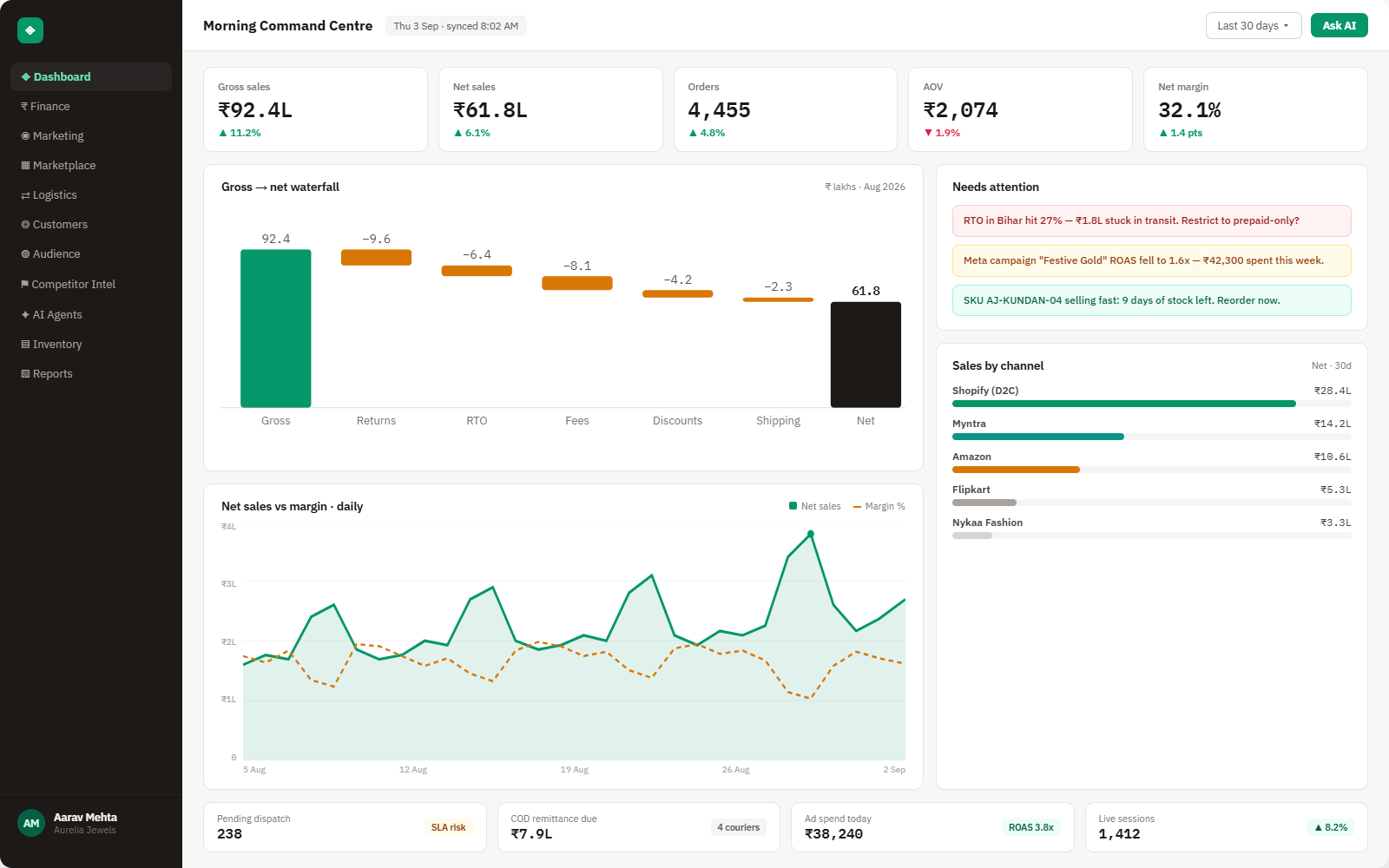
Brandnata's Wix integration reads orders, refunds, discounts, payment status and products from your Wix store. That revenue sits next to ad spend, payment processing fees and shipping costs from your other connections, giving you profit by product, campaign and channel rather than the item gross profit Wix reports on its own.
Everything Wix sends into Brandnata
Once connected, new orders, payments and refunds sync throughout the day, and fulfillment or payment status changes update on the next sync.

Orders & payments
Orders with line items, payment status, shipping charged, tax and the sales channel they came from.
Refunds & cancellations
Full and partial refunds and cancelled orders, dated to the day they happened, not the day of the original sale.
Discounts & coupons
Coupon codes and automatic discounts applied at checkout, for weighing promotions against the margin they cost.
Products & variants
Products, variants and SKUs from your Wix catalog, with prices and inventory status.
How Brandnata uses Wix data
Wix supplies the storefront side of your business: what sold, at what price and with which discount. Brandnata adds the costs Wix doesn't track, such as ad spend from Google Ads or Meta Ads, processing fees and shipping, and assigns them to the orders they belong to, which turns Wix sales into contribution margin by product and campaign.

Wix data feeds Brandnata's anomaly alerts and AI agent suggestions. The connection itself only reads data and never changes anything in Wix.
What you can do with Wix in Brandnata
Specific, Wix-native use cases, not a generic list that applies to every connector the same way.
Wix can show price minus cost of goods per item. Brandnata goes further and subtracts payment fees, shipping, refunds and ad spend to show what an order really earned.
Put Google Ads, Meta Ads and other campaign spend against the Wix orders they drove, and judge campaigns on profit instead of platform-reported ROAS.
See whether a coupon brought in new customers or simply discounted orders that would have been placed anyway.
Where Brandnata + Wix fits
Other ways teams currently piece this data together, and where each one runs out of reach.
| Approach | Coverage | Where it falls short |
|---|---|---|
| Brandnata + Wix · this page | Orders, refunds and discounts combined with ad spend, payment fees and shipping, giving profit by product, campaign and channel | N/A |
| Wix Analytics reports (native) | Sales, traffic and product reports, with optional cost of goods and item gross profit columns | Gross profit stops at price minus product cost, without ad spend, processing fees or real shipping costs |
| Profit apps from the Wix App Market | Profit dashboards inside Wix built from product costs and fees you enter | Ad spend from several platforms and costs from other sales channels usually still have to be added by hand |
| Order exports in spreadsheets | Wix order exports lined up against ad platform and payment reports | Rebuilt for every reporting period, and refunds issued later are easy to place in the wrong month |
Wix works alongside every other connector
Data from Wix doesn't sit in isolation, it's matched against orders, customers and spend from every other platform you connect, so the full picture shows up automatically.
Related connectors
Brands using Wix usually connect these too.
Orders, revenue, products, customers and inventory, synced live.
WordPress store orders, refunds, products and stock, tied to ad spend and profit.
BigCommerce orders, refunds, products and stock, measured against your ad spend and marketplace sales.
Traffic, channels, landing pages and funnels, checked against real orders.
Wix integration FAQs
How do I connect Wix to Brandnata?
Choose Wix in Brandnata and you're taken to Wix to install the Brandnata app on your site. Wix lists the permissions requested, such as reading orders and products, and you approve them. No password or API key is shared, and removing the app from your Wix dashboard ends the connection.
Does Wix show profit for my store?
Partly. If you enter a cost of goods on your products, Wix calculates profit and margin per product and variant, and you can add cost of goods and item gross profit columns to reports such as Sales by Item. That figure is price minus product cost. It doesn't subtract payment processing fees, shipping costs, refunds or advertising, which Brandnata adds from your other connected accounts.
What are Wix Payments fees?
In the US, Wix Payments charges 2.9% plus $0.30 for most online card transactions, with higher rates for American Express, PayPal and buy now, pay later options. Rates differ by country and change over time, so Brandnata uses the fees recorded against your own transactions rather than a published rate.
Why doesn't my Wix revenue match my bank deposits?
Deposits arrive after processing fees, and payouts follow a daily, weekly or monthly schedule, so one payout can cover several days of orders. Refunds can also be taken from a later payout than the sale they reverse. Brandnata separates gross sales, refunds and fees so the difference can be traced.
Can I see which ads drove my Wix sales?
Yes. Connect Wix together with Google Ads, Meta Ads or other ad accounts, and Brandnata places campaign spend against the Wix orders it drove, reporting return on ad spend from real orders and profit, not from ad platform figures alone.
Does it work with Wix Studio sites?
Yes, as long as the site sells through Wix Stores or Wix eCommerce. Orders, products and refunds are stored by Wix in the same way whichever editor the site was built with.
Can Brandnata change my Wix site or orders?
No. Brandnata reads orders, refunds, discounts and products. It doesn't edit your site, change prices or inventory, fulfill or cancel orders, or issue refunds.

Connect Wix in about 5 minutes
Connects through the Brandnata app for Wix, which you install on your site and approve with Wix's permission screen, without sharing a password or API key. Read-only to start, with your first reconciled numbers within a day.